
Using Sorty
With Sorty, you can keep an eye on your image collections and see which images have already been processed, which orders are pending and which people Sorty has recognized in the images.
Installing Sorty
The easiest way is with the Standalone setup. It sets everything up on one computer: the database, the Sorty web server, and the ExecutionEngine.
- On Windows, double-click Sorty-Standalone-Setup-Windows.exe and confirm the administrator prompt.
- Linux (Debian, Ubuntu): Enter the terminal
sudo sh Sorty-Standalone-Setup-Linux.runone. - Raspberry Pi 5: Enter the terminal
sudo sh Sorty-Standalone-Setup-RaspberryPi.runTake a model with 8 GB memory, a cooler with fan and the official power supply.
The setup works for a few minutes, after which Sorty opens in the browser under https://localhost/. If the ports 443 and 80 on the computer are already occupied (for example by another web server), Sorty takes 8443 and 8080 and says this at the end; the address is then https://localhost:8443/. Sorty starts on its own every time you restart your computer, and if you go back to the setup later, Sorty will update it, and your images, settings and accounts will remain intact. Sorty with its symbol under Settings → Apps. There you can also remove Sorty (see below). Installation Guide).
For larger installations, there are custom setups for the web server only and for an execution engine only, asking for the database Sorty should use.
Everything step by step – from the right computer to the AI server to access on the go – is in the Installation Guide. Which computer fits, is in the Hardware Guide.
Opening Sorty for the First Time
Open the local Sorty address in the browser, and you can use a computer in the shared home or company network, and if you open Sorty directly on the computer it is installed on, you can use an address such as https://localhost:7278 As long as there is no account, the assistant will open. Starting the set-up Click.
If the site prompts you to set up locally, switch to the shared network and open the local Sorty address, and the person who installed Sorty can give you that address.
Sorty starts in the language of your browser: German, if your browser has set German, otherwise English. German or English Your input is preserved, and Sorty remembers your choice.
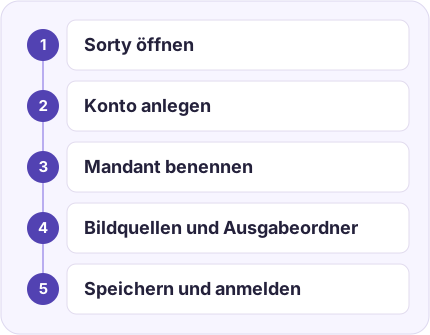
1. Create your account
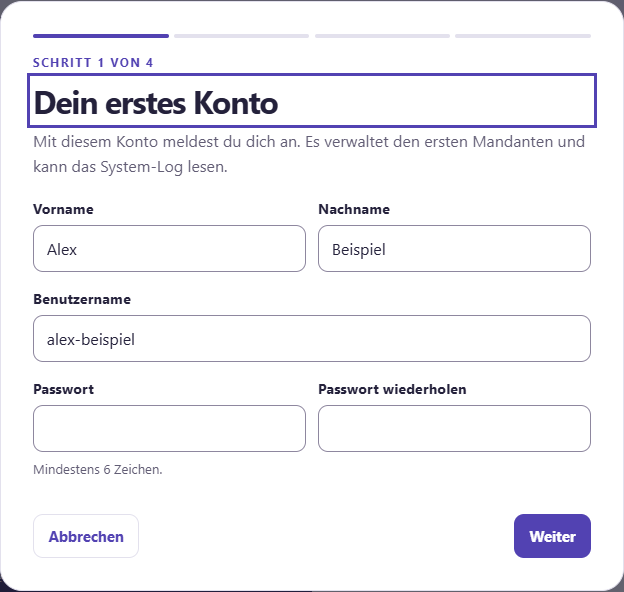
Enter your name and choose a username.Your password needs at least 10 characters and must not be easy to guess (see below) Change my password). Enter it twice and click Further information. This first account will be Sorty-admin You can do anything and more. Roles and Users.
2. Create your first workspace
One workspace is a separate area for a collection of images. Family Archives If you want, you can add a short description. Face recognition You decide how thoroughly Sorty searches for faces, and if you're unsure, leave the values as they are.
- Width of detection and Detection height The standard is 640 × 640, larger numbers find small faces better, but take longer.
- With Use original size of the image Sorty searches throughout the picture, and it also finds very small faces, but it takes a lot longer for large photos.
- You don't have to guess these values. Performance adjustments Find out for yourself which values fit your server.
- How many images are edited at the same time, and with which processing units, depends on the computer, so you set it for each engine. Manage engines.
3. Set image sources and output folders
One Image source is the folder in which your new pictures are located. Output folders is the place where the sorted pictures are to land.
At the top of the step, you'll see a short list, each line is an image source or output folder, and it shows the memory type and the path, and click on a line to edit it underneath. Add image source or Add output folders If you create another entry, you can use the trash to the right of the row to remove an entry, and if there's something missing from an entry, it says, Please check. Sorty opens this entry for you.
For each image source and output folder, select the Memory type. Sorty then shows you the appropriate fields, use separate folders for image sources and output folders, and if you need a value like port or time limit, open Other settings.
In case of File system If you enter the full path on the computer where Sorty processes the images, this is what the paths look like.
| System | Image source | Output folders |
|---|---|---|
| Windows | C:\Sorty\Eingang |
C:\Sorty\Sortiert |
| Linux | /srv/sorty/eingang |
/srv/sorty/sortiert |
In case of SMB If you enter the name of the server and the share, enter the folder within that share, for example: Fotos/Eingang. For WebDAV, Luckycloud and IONOS HiDrive use the WebDAV address of your provider.
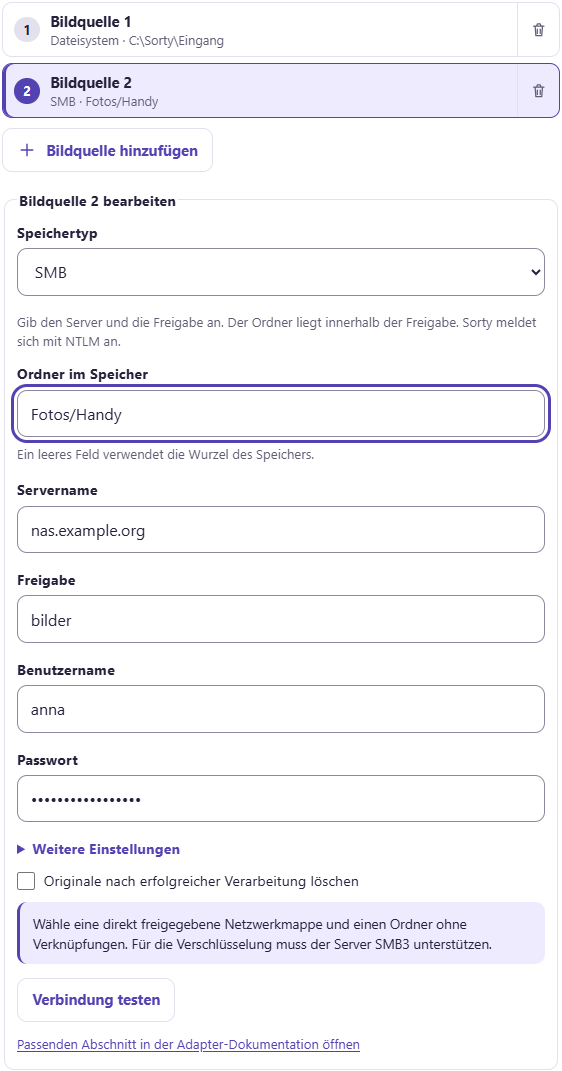
For each memory, you enter the credentials directly into the wizard, for example, username and password. Sorty saves them protected in its database. You don't have to set up anything on the computer. Protocol: FTP or FTPS or SFTP. With Google Drive, Dropbox, OneDrive and pCloud you need a Access tokens. The note under the box explains how to get it, and with Dropbox and OneDrive, you can also choose between About rclone Amazon S3, Azure Blob Storage and Google Cloud Storage show their own fields.
With Testing connections check immediately if Sorty reaches the memory and finds the folder, nothing is saved and nothing is changed. Delete originals after successful processing On, the test also checks whether Sorty can create and delete files there. For this purpose, Sorty creates a small sample file and deletes it immediately. If a right is missing, the test tells you which one. If the sample file is left, he gives her name. Then you can delete them yourself. If the test reports an error, check address, folder and login data. If he reports that the ExecutionEngine is unreachable, the person who set up Sorty must start the engine.
For some issues, you need to confirm that only Sorty is allowed to write and delete in this folder. For Amazon S3, the output bucket needs to save file versions. Memory adapter documentation in a new tab.
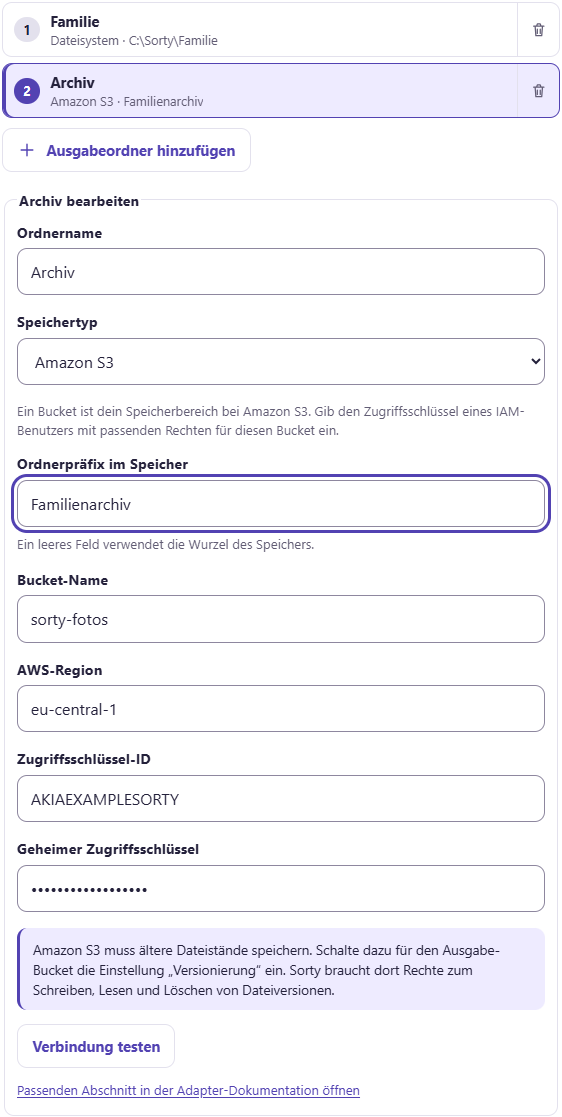
You can create up to 10 image sources and 10 output folders, give each output folder a name, and the name will also appear in the list. Delete originals after successful processing turned off if you want to keep the files in the image source. Further information.
4. Finish setup
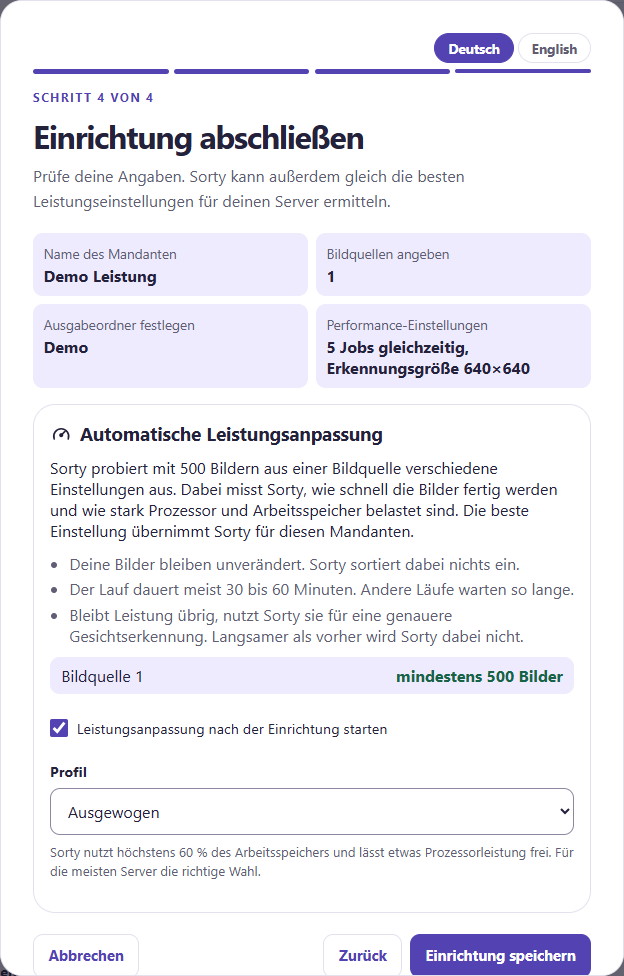
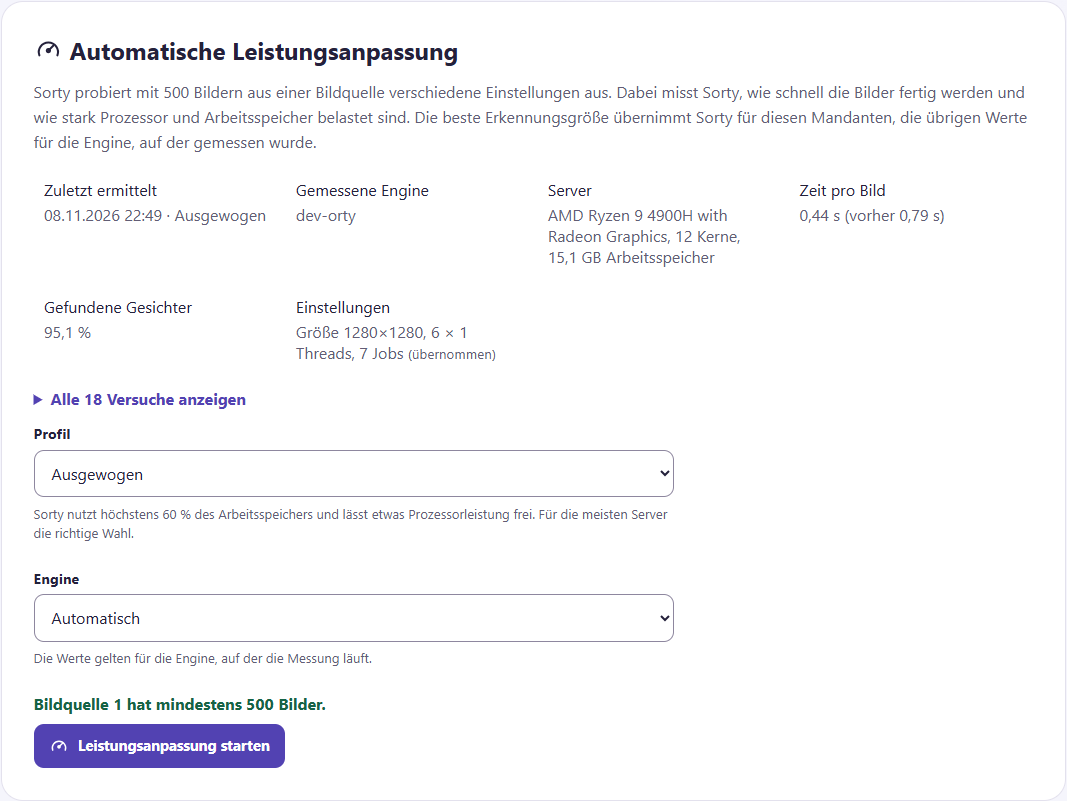
The last page shows your details again briefly, under which Sorty explains the Automatic power adjustment. Sorty tries different settings with 500 images from a source of images. Sorty first checks if the server can examine the images in their original size, finds the most faces, and then Sorty searches for the fastest settings for them.
Sorty counts the images in your image sources. If an image source has at least 500 images, it says at least 500 images. Then you can Start power adjustment after set-up hooking and a Profile Select:
- Gentle: Sorty uses up to 40% of memory and leaves room for other programs.
- Balanced: maximum 60% of memory, the right choice for most servers.
- Maximum: Up to 80% of memory, only for servers that are there for Sorty alone.
Sorty can make full use of the processor on all profiles. Face recognition is a lot of work.
The run usually lasts 30 to 60 minutes, and your pictures remain unchanged. Store equipment. After that, you can sign in with your new account.
The assistant creates an active set of rules for each output folder. Year/Event, the others under Year/date. Beneath Rule sets You can change the specifications. You can start the first sorting order at Activities.
Sign in
Open Sorty in the browser. Enter your username and password. Sign in.
After 10 incorrect passwords within 15 minutes, Sorty will suspend login for that username for 15 minutes, protecting your account from people trying passwords, and then just wait.
In the Sorty app you also give the Sorty instance This is the HTTPS address of the computer running Sorty, and you get it from the person who set up Sorty. Examination of the instance Once the first account is created, you log in with the same credentials as in the browser.
Do you have the Two-factor authentication turned on, Sorty asks for the password in addition for a Code from your Authenticator app. Trust this browser for 30 days Sorty doesn't ask for the code in this browser for 30 days. In the app, you enter the code for the password. Wrong codes count as wrong passwords to lock. If you haven't entered a code for five minutes, you start logging in again.

With Deregistration At the top of the overview, you end your session, sorty logs out on all devices, in the browser and in the app, and then you log in all over again, even if your password has been changed.
Roles and Users
Each account has one Role. It defines what you can see and do in Sorty, and one role is always for a client, so you can be an admin in one client and only a user in another.
| Role | You can do that |
|---|---|
| Sorty-admin | Everything, in all tenants. Only Sorty admins create new tenants, manage the engines, see the system log, and manage all accounts. The first account is Sorty admin. |
| Client admin | Everything in your client: also change the settings and give other users a role. |
| Sorty users | Use Sorty: Overview, activities, media search, problem children, events, keywords, people and set of rules. |
| Observers | Look for pictures and look at them. A viewer doesn't change anything and doesn't start any assignments. Good for family or guests. |
If you don't see a menu item, your account is missing the role for it, then ask an admin of your client.
Change my password
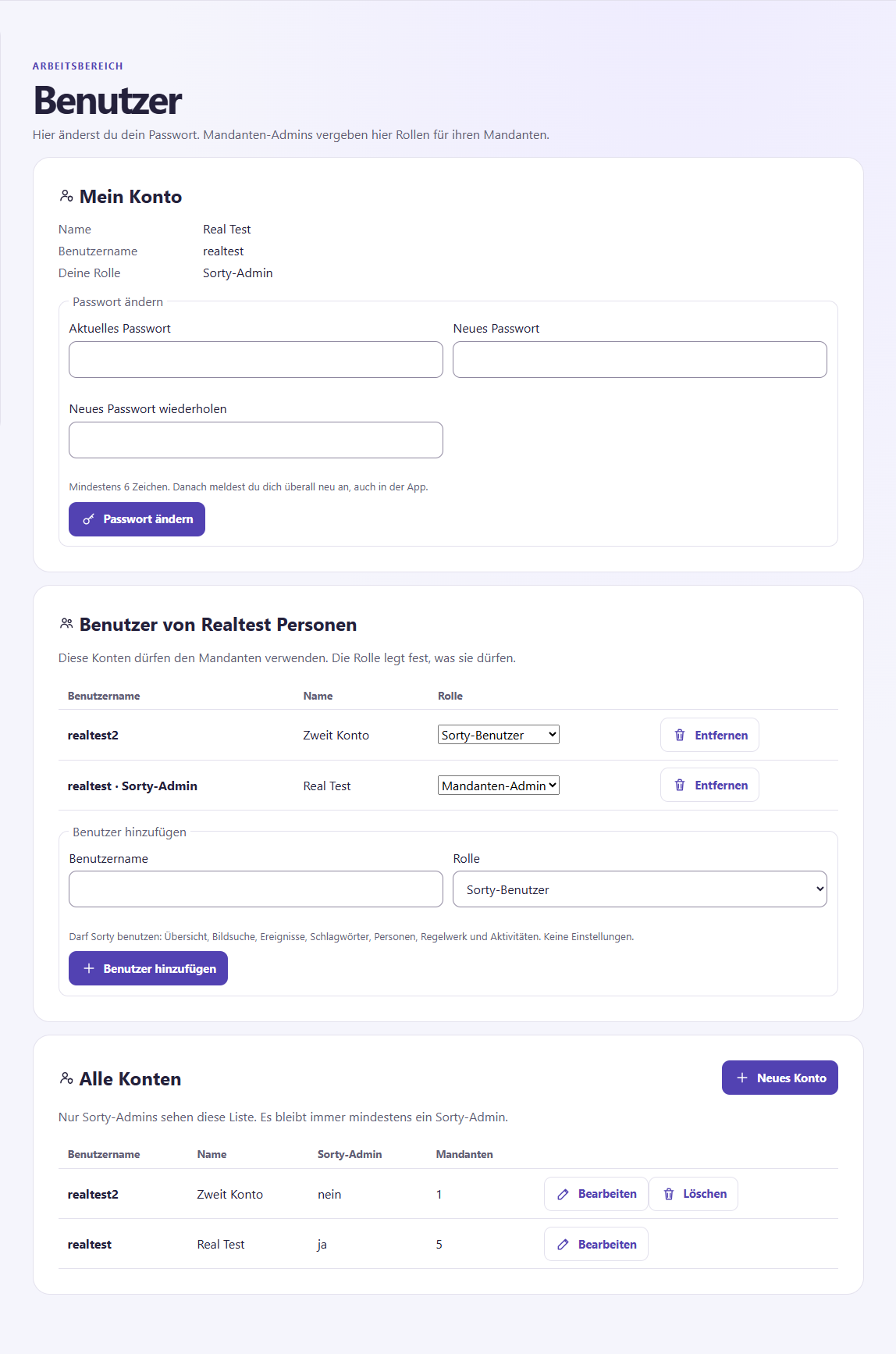
Opening to the left My account (See admins there.) Users). . Give up Change the password Then Sorty logs you out from anywhere, even in the app. Log back in with the new password.
Sorty rejects passwords that are easy to guess, for example qwertzuiop or aaaaaaaaaa, and passwords that contain your username. You can remember several words with hyphens, for example Wolken-Zug-Baum-17.
Two-factor authentication
With the two-factor login, no one comes into your account with just your password. Authenticator App on mobile, for example Microsoft Authenticator, Google Authenticator or Aegis.
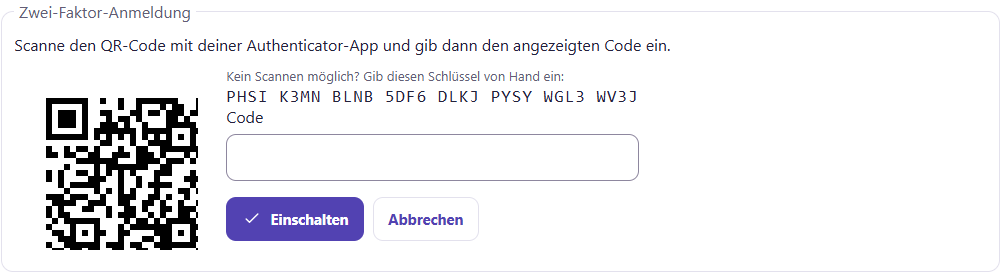
- Opening to the left My account (Admins): Users) and click below Two-factor authentication on Setting up.
- Scan the QR code with the Authenticator app. If you don't, type the key under the QR code into the app by hand.
- Enter the six-digit code from the app and click Switching on.
- Sorty is showing off now. 10 Recovery codes. Print it or keep it safe, for example, in your password manager, each code replaces the app exactly once, such as when the phone is lost, and Sorty shows it only once.
After that, it tells you how long the two-factor login has been turned on and how many recovery codes are left. New recovery codes (the old ones are then no longer valid) or switch the two-factor application again Excl..
If the app shows a code that Sorty does not accept, check the time of the phone: it should be set automatically. Sorty accepts a deviation of 30 seconds.
Cell phone lost? Sign in with a recovery code instead of the code from the app and reset the app. if you don't have any more code, please a sorty admin, your two-factor login Reset. He finds that under All accounts at Processing. After that, you only log in with the password and re-set up the app.
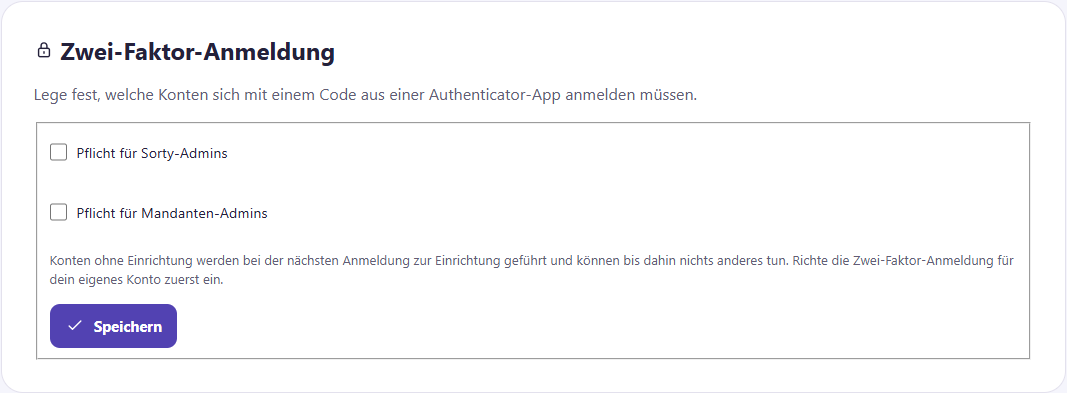
A sorty admin can be on the page. System specify that the two-factor login is for Sorty admins or tenant admins Obligation Anyone who has not yet set it up will end up at the institution after registering and cannot do anything else beforehand.
Name and e-mail address
Underneath My account is also Name and e-mail. There you change your first and last name. E-mail address If you have entered an e-mail address as an admin, you will receive a message if an execution fails or is blocked or the data backup does not work. E-mail notifications has switched on.
Giving other users a role
As a tenant admin or sorty admin you open left Users. Beneath Users of ... All accounts have a role in this client.
- Carry under Adding users enter the username and select the role.
- Click on Adding users.
- If the username does not yet exist, Sorty asks for first name, last name and a Start Password. Then click Create and add an account. Tell the person the start password, and they can change it themselves.
You change the role of a user directly in the list. Removal A client always retains at least one tenant administrator.
Invite by link
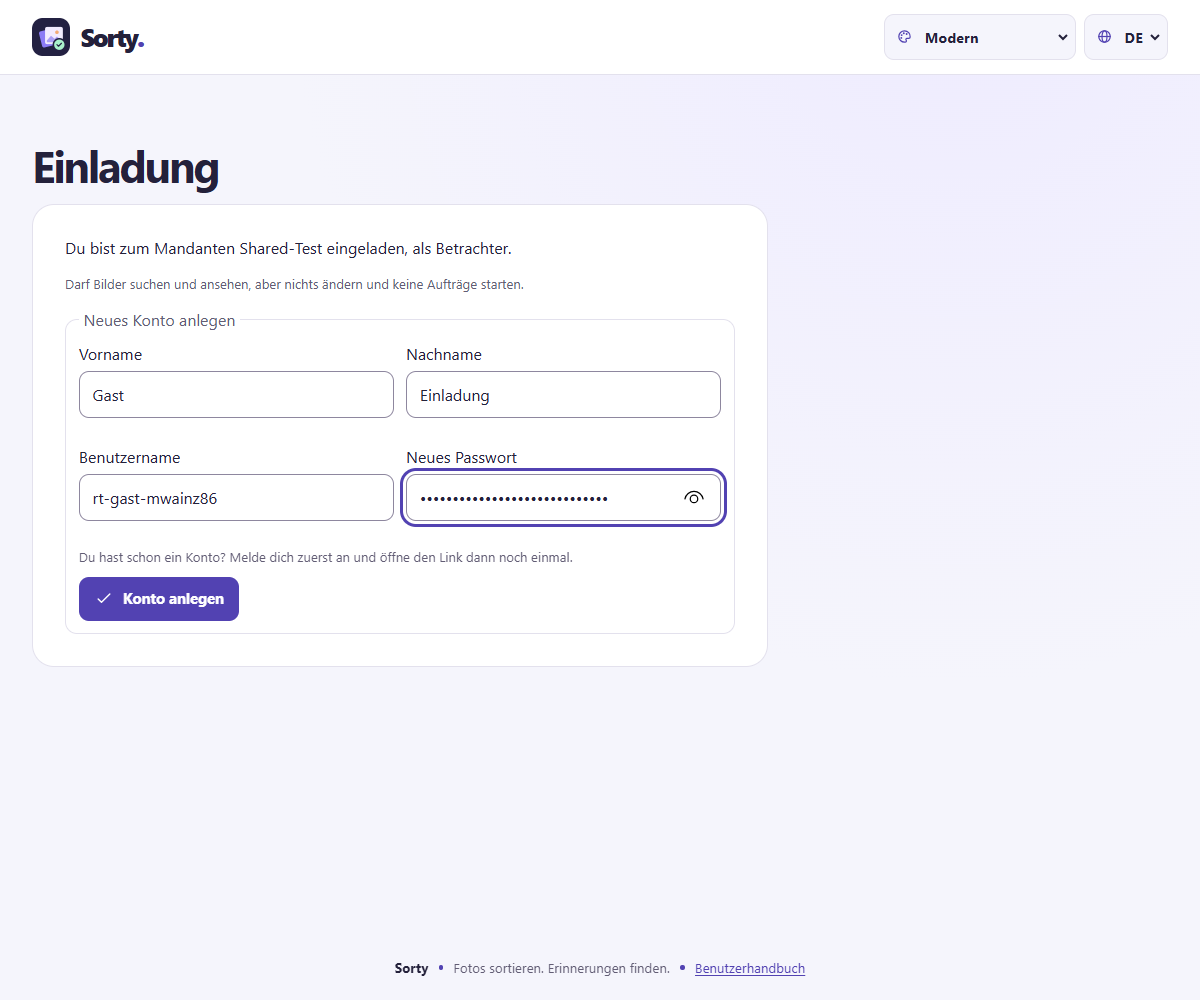
Instead of creating an account yourself, you can create an account. Invitation link The invited person then chooses their username and password themselves.
- Opening to the left Users and scroll to Invitation links.
- Choose the Role and below Valid for days, how long the link is valid (maximum 30 days).
- Click on Create an invitation link. Copy the link right away and send it on, for example, by messenger. Sorty just shows it this time.
If you open the link, you create a new account, if you already have an account, you log in first and then open the link again, and then the client is in the selection list, and one link is valid only once, open links are in the list. Finishing Make a link void before someone uses it.
Manage all accounts
Sorty admins will also see All accounts. With New account Create an account with Processing Change names, set a new password or make the account a sorty admin. Deletion Remove an account with all roles, then its open order will no longer start, you will not be able to delete your own account, and there will always be at least one sorty admin.
What Sorty does with your pictures
The ExecutionEngine Sorty is the part of Sorty that processes the images, and when it comes to a scheduled job, it reads the images from the image source and puts them down according to the sorting rules, for example, a rule can sort photos into folders based on the recording date, an event, or a recognized person.
In the overview, you encounter three types of orders.
| Name in Sorty | What happens |
|---|---|
| Sorting | Sorty captures new images from the image source and puts them down according to the rules. Even images without a face or with several faces can be processed. Images that Sorty already knows skip it. |
| Person learning | Sorty learns to recognize a person using sample images, and every learning image used must show exactly one face and be easily recognizable. |
| Re-sort | Sorty applies the current rules to already captured images, so an image can get a different output folder. |
| Analysis | Sorty adds to existing images what is still missing. Previews only It's quick. Image features, faces and thumbnails Sorty measures older images and recognizes their faces. Image vectors for semantic search Sorty adds to what the Semantic search Needed. With Recording time and camera Read Sorty on older pictures time zone and camera so you can read her Time Corrected can. with Videos (watch older videos) and Sound of the videos Sorty, I'm sorry. Video analysis for videos that have been read in before. files does not postpone Sorty. |
| Grouping faces | Sorty collects similar faces without a person in groups. People Then you give a name to a group. |
Videos
Sorty also sorted Videos (MP4, MOV, M4V and 3GP) A video comes into the appropriate folder after its recording date. Media.
When sorting, Sorty watches each video:
- It reads Longitude, frame rate, Recording time and, if any, the Reception location.
- It looks up to 120 digits across the entire video, and for short videos, that's every second.
- It recognizes People. If the same person shows up several times, count them once. Sorty memorizes where her face is best seen.
- It shares the video in Scenes And make every scene for them. Semantic search findable.
- It makes a Preliminary view from nine places in the video.
- Is the video fuzzy, too dark or Wobbled, it will be a Problem child.
- If the same video is already there, for example smaller or in another format, it will be a Possible duplicate.
Denomination Tone Sorty only sounds if an admin does this in the Settlements has switched on.
In rules, you can separate photos and videos. ${MEDIATYPE} shall be: Videos or Photos, for example in the destination path ${YEAR}/${MEDIATYPE}.
If a new picture looks almost exactly like a picture that is already there, it becomes a problem child Possible duplicate. Sorty puts it down anyway. You decide for yourself whether to keep it.
The person who runs Sorty sets up sorting rules and orders, and in the dashboard you can see when the orders are scheduled and how far the processing is.
Switch or add a workspace
At the top of the Sorty logo is the name of the selected client, click on the name and select another client, and the overview shows the images and orders of this area.
As a sorty admin, you click on the Plus Next to the selection, if you want to create another collection, you become the tenant administrator of the new tenant, and the assistant asks you for the name, the image sources, the output folders, and you use your existing account.

Read the overview
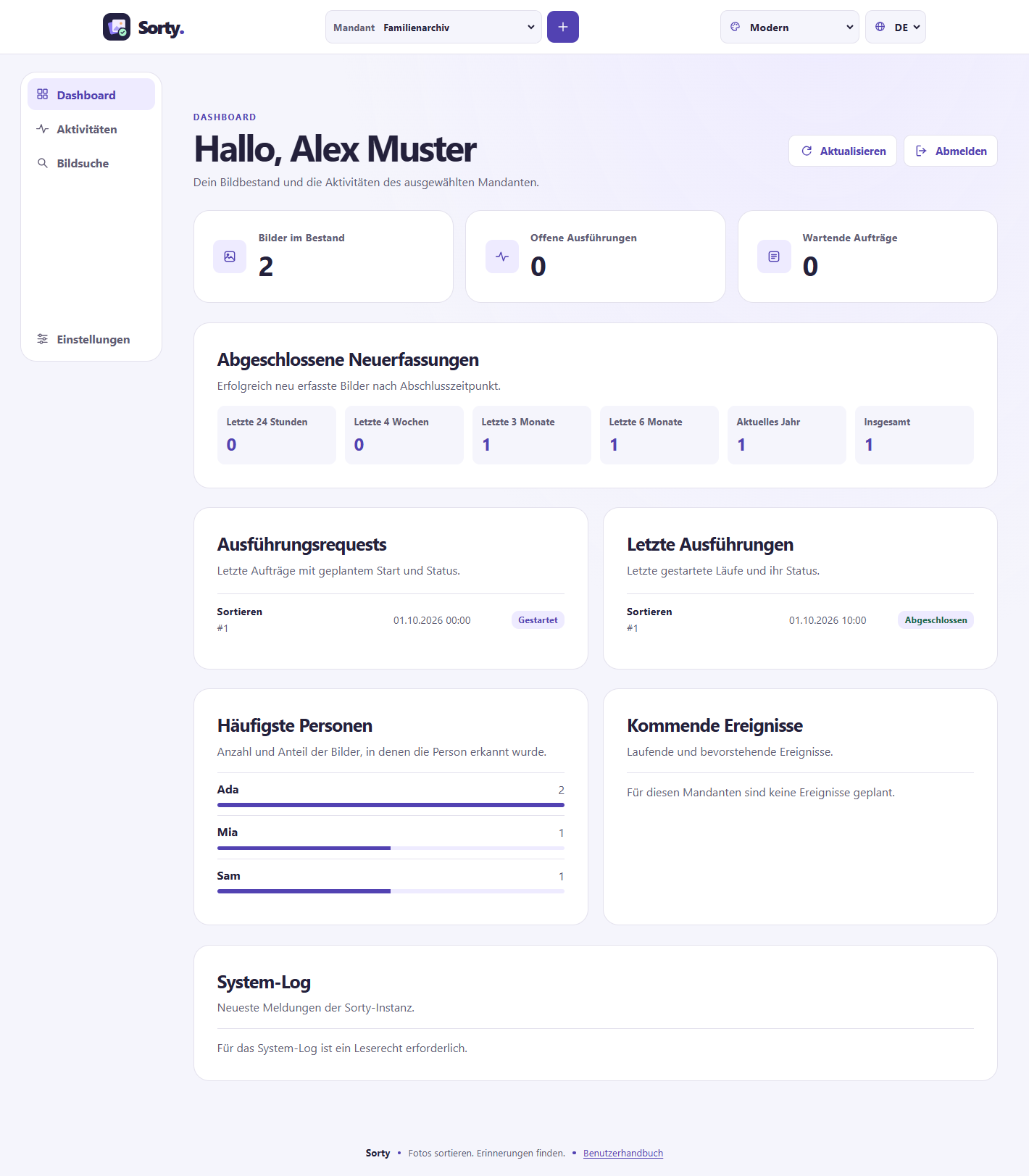
After registration, the Dashboard. This is the overview for the chosen client. Updating load the latest numbers and entries.
| Range | This is what you see there |
|---|---|
| Media in stock | How many photos and videos Sorty captured for this collection. |
| Open submissions | How many sorting runs or other work are still open. |
| Waiting orders | How many orders are waiting for their execution. |
| Completed recounts | How many images have been successfully recaptured in the last 24 hours, 4 weeks, 3 months, 6 months, in the current year and in total. |
| Execution requests | The last orders with a planned start and their stand. A request is an order to Sorty. |
| Final remarks | The last work started and their status, such as Runs, Pausage, Will be followed up or Completed. |
| Most frequent persons | Which people were recognized in most of the pictures in this collection. |
| Upcoming events | Events that are taking place or are about to begin. |
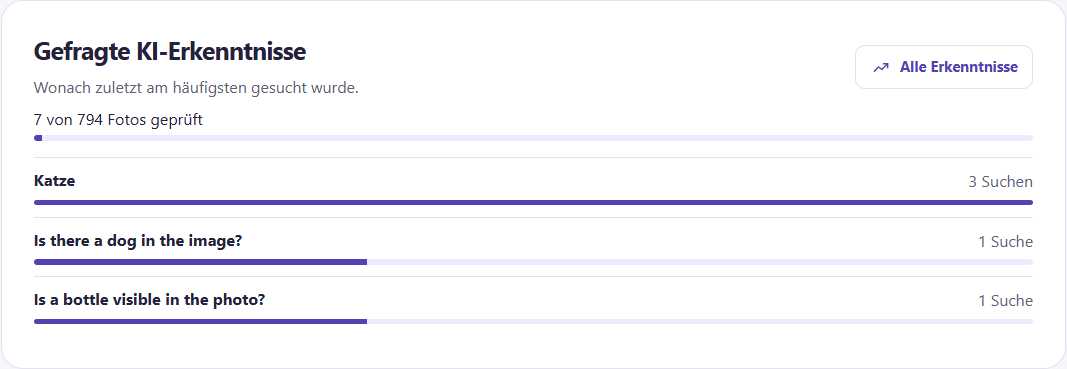
| Demanded AI insights | What was most recently searched for and how many photos the AI has already viewed. All findings Open the whole list. |
| System log | Messages from the entire Sorty system. Only Sorty admins see this area. The messages appear in your language. |
All times show Sorty in your local time: in the browser by the time zone of your computer, in the app by that of your device. This also applies to the beginning and end of events. The recording date of an image is the time at the location of the recording, as the camera has saved it. If the camera’s clock went wrong, you can Corrective action.
If Sorty is interrupted during processing, it checks on the next start what results are already stored, and once the state is cleared, it continues open work. Blocked Give the person in charge of Sorty the name of the client and the number of the execution from the overview.
Navigate within a workspace
You will find the links Dashboard, Activities, Media search, Media with issues, Events, Keywords, People and Rule set. Under this heading: My account. See admins there. Settlements and Users, Sorty admins in addition Engines and System. At the top is the current client, and when you select another client, all the pages show their data, and in the app, you hide the bar with the menu button at the top.
Track activities
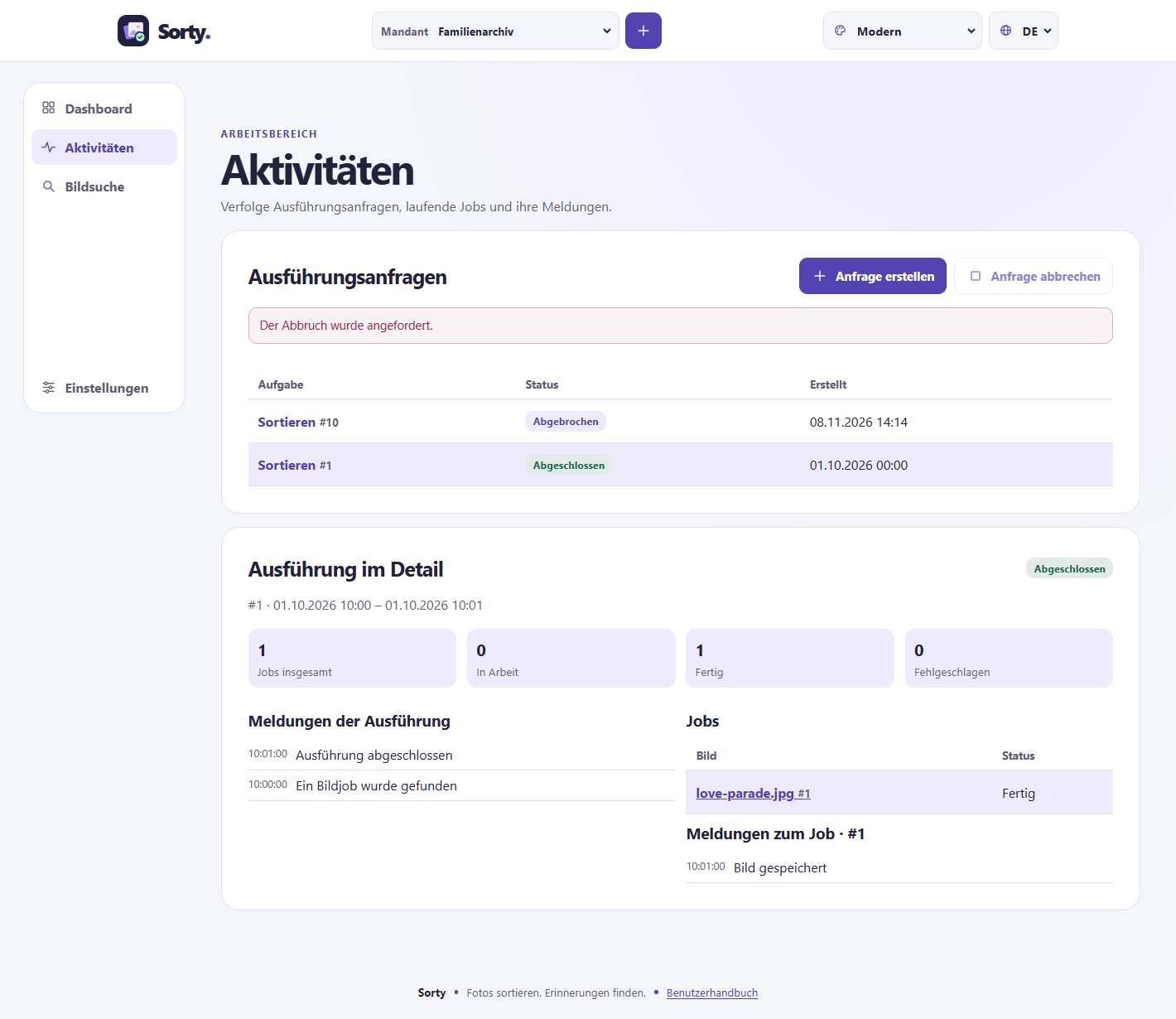
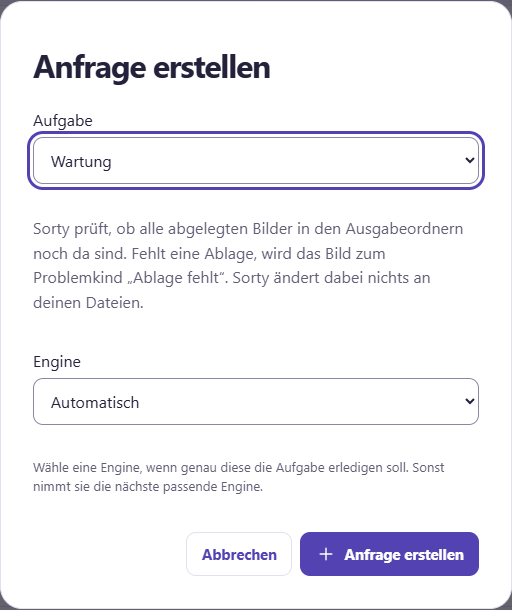
Underneath Activities see which requests are waiting, running, finished or failed. Create a request Select a task. Sorty checks to see if your account can create it for that client. Select a request in the list, below which Sorty shows its execution as soon as it starts. Select a job to read its messages. The page updates automatically.
The status of a request tells you where it stands:
| Status | Significance |
|---|---|
| Waiting | The request is waiting for a free engine. |
| Wait for the engine | The request is supposed to run on a particular engine, but it's just out, unreachable, or doesn't take anything new, turn the engine back on or break the request. |
| Runs | An engine is working on it. |
| Will be followed up | The work is done. Sorty is still cleaning up, for example, old filings. |
| Completed | Everything worked out. |
| Completed with errors | Most of the images are finished, but some are not. The status is highlighted in color. Select the execution to see the affected images. |
| Failure | No picture succeeded, or a mistake stopped the work, Sorty reversed the changes. |
| Aborted | You or someone else cancelled the request. Sorty undone the changes. |
If Sorty can't read a file as an image, it's probably corrupted. Sorty leaves it out, writes it in the messages and remembers the file. Sorty skips it the next time it's sorted, and so does a copy of the file under another name.
Sorty recognizes images that are already in this collection, and it works even if the file has a different name or is in a different folder. Already imported And the message, "This image has already been imported." Sorty doesn't put it down again, and it doesn't count as an error.
As the owner of the client, you will find under Create a request also the Performance adjustments. Choose a profile for this. Automatically adjust performance.
The task Maintenance services check whether all the stored images are still in the output folders. Check storage overnight.
If several engines work for your client, you see in the field Engine Let's make a choice. Let's make a choice. Automatic If you choose a particular engine, the task waits until that particular engine is free. Engines that don't take on new tasks are not in the selection process.
If a task is to run regularly, put one Timetable an.
Correct recording time
Sorty remembers which device it was taken with each image and in which time zone, and the time zone takes Sorty in this order:
- from the image itself, if the camera also saves it,
- from the recording location, if the image has GPS data and GPS for the client is switched on,
- from your time zone when you started the task,
- from the time zone into the Settlements.
Some cameras have a wrong clock, and then their images end up in the wrong folder or in the wrong event:
- Select under Activities the completed request; Sorting images with which the pictures were read.
- Underneath Cameras and recording time the devices from which the images originate, with number and time period.
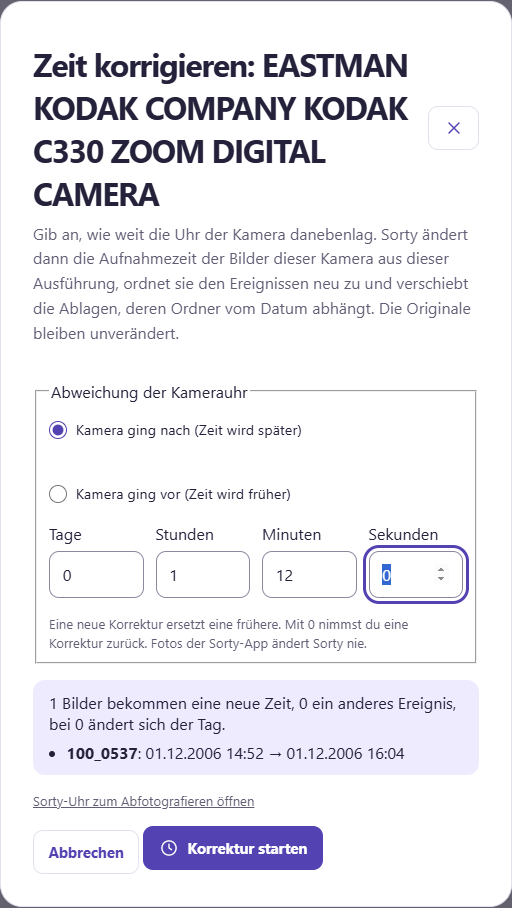
- Click on the affected device Time Corrected.
- Choose whether the camera follow-up or preceding, And you can immediately see below how many pictures get a new time, another event, or another day, with examples.
- Click on Starting correction.
Sorty then changes the recording time, reassigns the images to the events and moves the dishes, whose folder depends on the date, the originals in the image source remain unchanged, a new correction replaces the old one, it is not counted.
Photos from the Sorty app never change Sorty. Take photos with the app).
Often, Sorty already suggests the deviation. Takeover You put the proposal in. The proposals come from:
- Clock photo: You've got the Sorty watch I'm shooting with this camera. That's accurate to the second.
- GPS time: Cameras with GPS store the exact time of the satellites.
- Comparison with photos of the Sorty app: If you photographed on the same occasion with the app, Sorty searches for almost the same pictures. Only from three pairs of pictures showing the same deviation, Sorty makes a suggestion.
Images that were read in before this feature are not yet familiar to your device. Analysis with Recording time and camera.
The Sorty Clock
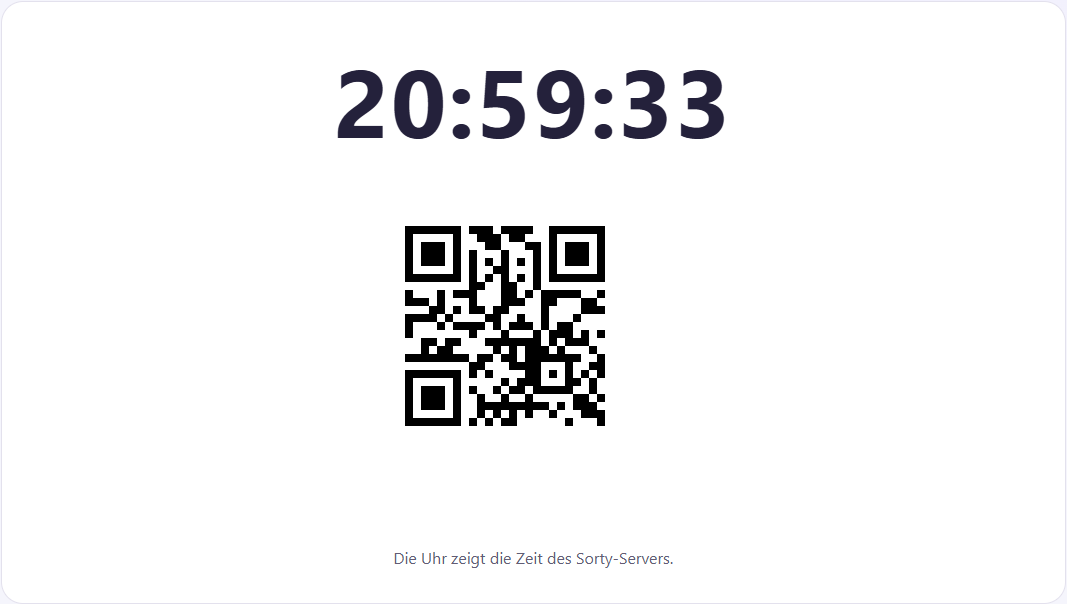
Under the address /uhr shows Sorty a large clock with a code that changes several times per second, containing the exact time of the Sorty server. Time Corrected.
Photograph the watch with the camera you want to check the time, read the photo along with the other images of this camera, Sorty recognizes the code and suggests the exact deviation when correcting, and you can delete the photo of the watch afterwards.
With Cancel request If you pause a selected request, Sorty will stop the work and undo the changes to the execution, and the status will show you when it's done, and a cancelled request will remain locked.
Finding pictures
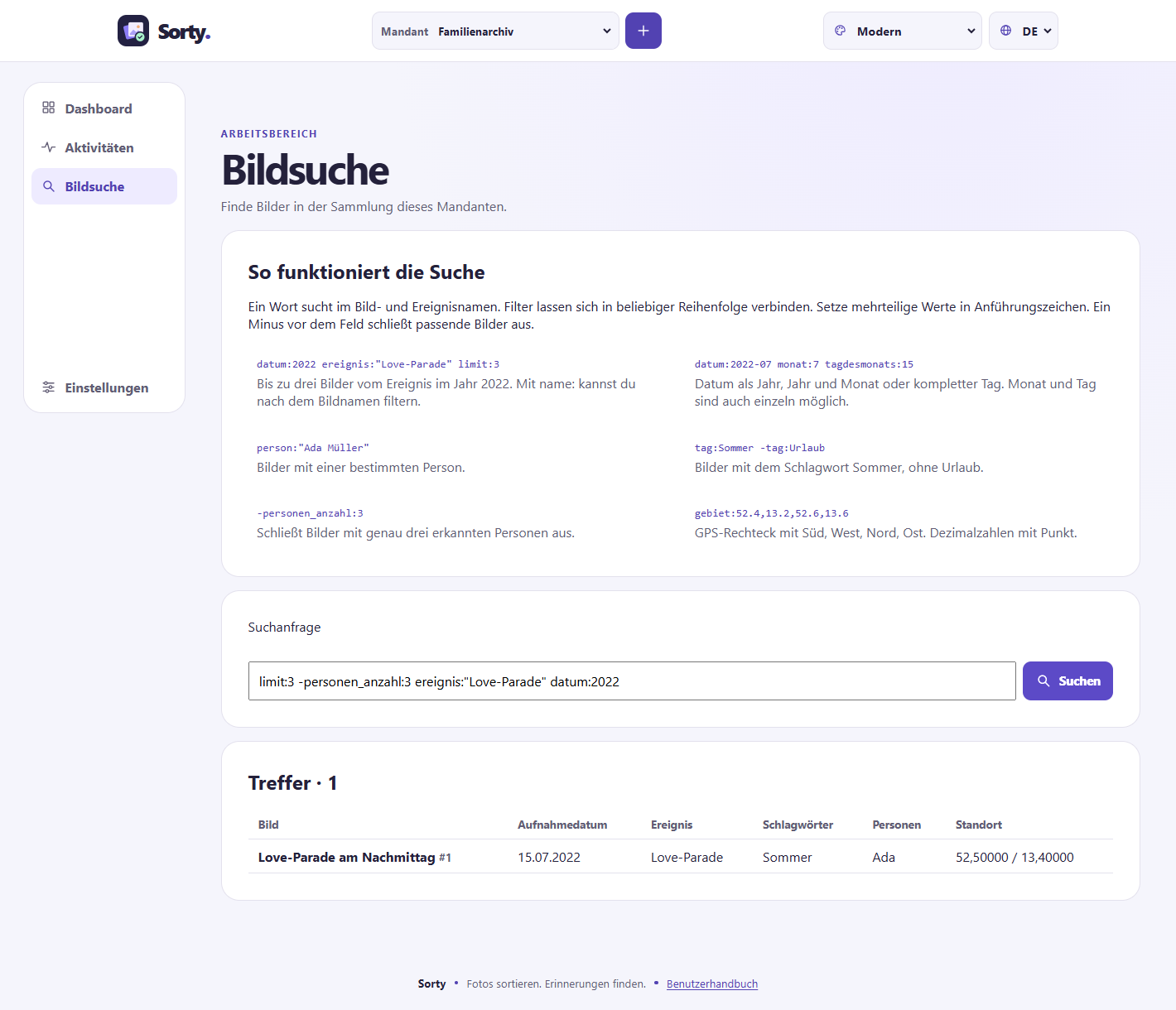
A single word searches in the image and event names, and filters for more accurate results. datum:2022 ereignis:"Love-Parade" limit:3 For example, you can find up to three images of this 2022 event. The order of the filters is free. Set values with spaces in quotes.
| Example | What Sorty is looking for |
|---|---|
datum:2022-07 or datum:2022-07-15 |
Pictures from a month or a day |
monat:7 or tagdesmonats:15 |
Pictures from July or the 15th of any month |
person:"Ada Müller" |
Images on which the person was recognized |
tag:Sommer -tag:Urlaub |
Pictures with summer, except those with holidays |
personen_anzahl:3 |
Pictures with exactly three recognized people |
-personen_anzahl:3 |
All matching pictures except those with exactly three recognized people |
gebiet:52.4,13.2,52.6,13.6 |
Images within the borders South, West, North and East |
gesichter:0 |
Pictures in which Sorty did not find a face |
augen:zu |
Pictures where someone has their eyes closed |
laecheln:ja |
Pictures where someone smiles |
unscharf:ja or belichtung:dunkel |
Fuzzy or too dark pictures (also) belichtung:hell) |
problem:ja |
All problem children; problem:augen Only those with closed eyes |
format:hoch |
Images in portrait format (also) quer and quadrat) |
problem:duplikat |
Images that look almost exactly like another image |
video:ja or typ:foto |
Only videos or only photos -(video:nein excludes videos) |
dauer:>60 or dauer:30-90 |
Videos that are longer than a minute or 30 to 90 seconds long (also) dauer:<30) |
geräusch:lachen |
Videos in which Sorty heard laughter, for example also geräusch:hund or geräusch:applaus |
gesagt:"Alles Gute" |
Videos where these words are said. Copies. |
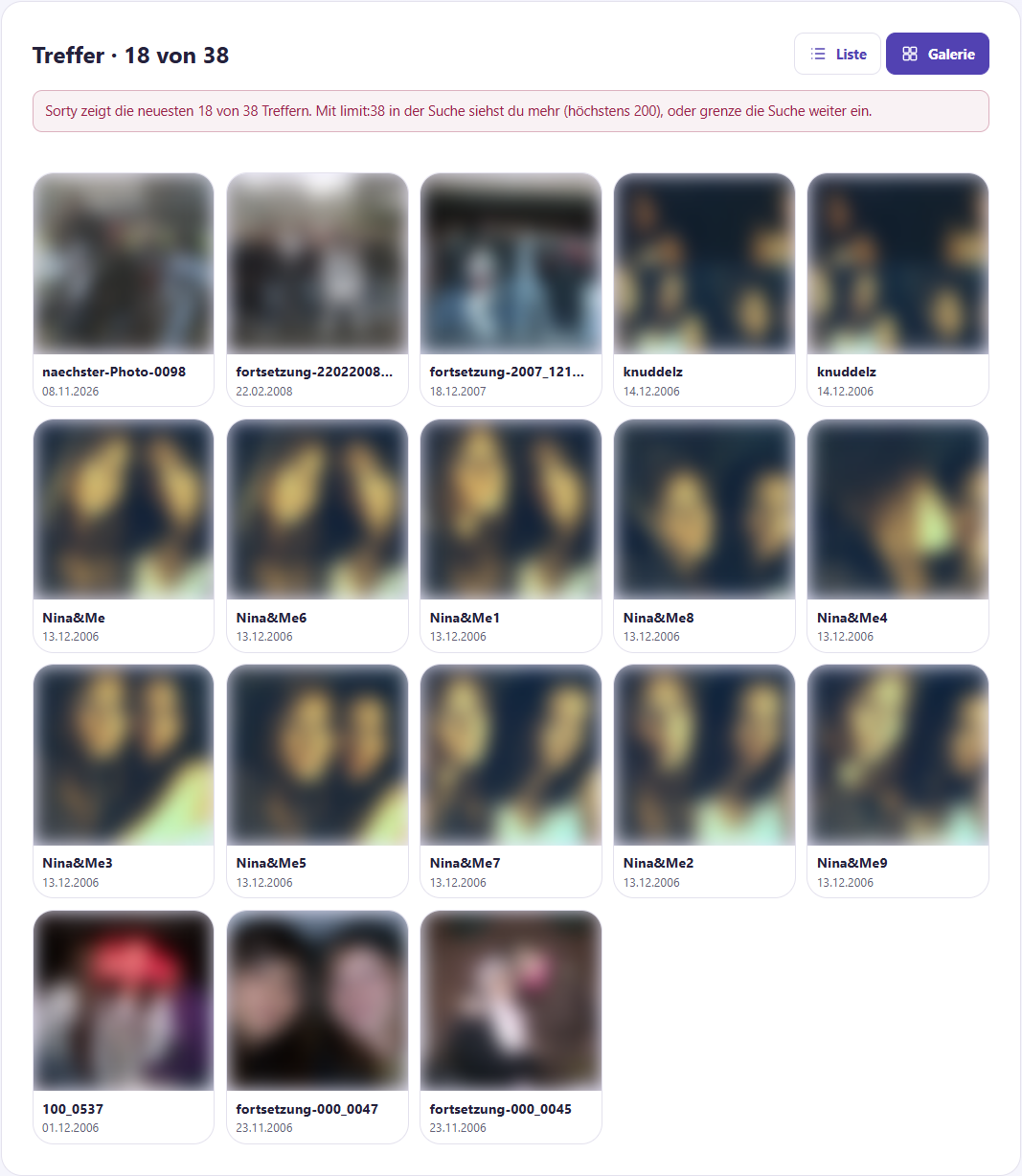
Put a minus right in front of a filter to exclude its hits. Sorty shows the 50 latest hits without any indication. 50 of 101. With Loading other hits Among the hits, you bring the next ones. limit:3 You show less, with limit:200 Up to 200 hits at once. Location search delivers hits when the client's GPS option is on and Sorty has found a location when it is read in.
And then you choose them. Presentation. Sorty remembers your choice for next time.
| Presentation | You can see that |
|---|---|
| List | A table with date, event, keywords, and people. |
| Gallery | The pictures as tiles. |
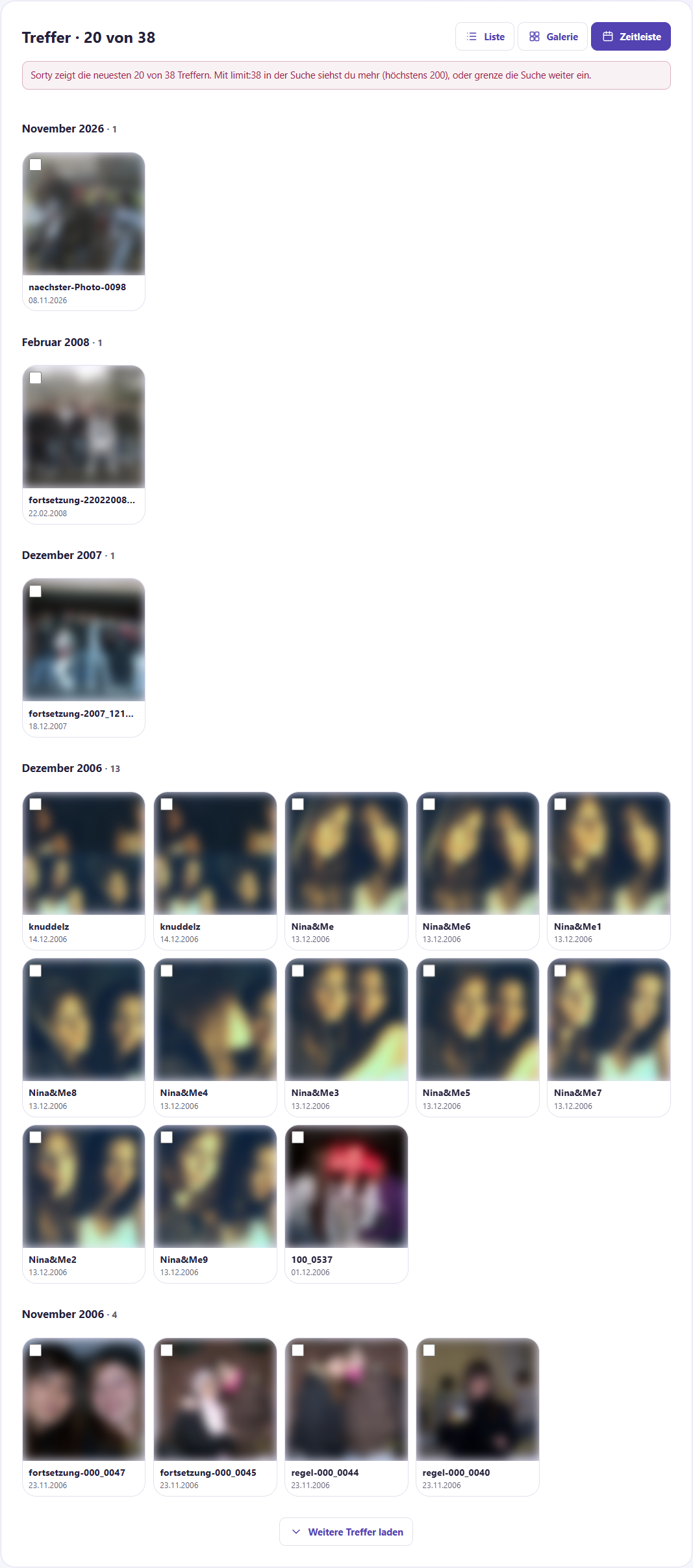
| Timeline | The pictures are ordered as tiles, by months. The latest ones are on top. |
| Card | The images with location as markers on a map. Clicking on a marker opens the image. The map images come from OpenStreetMap. |
Images in gallery and timeline you only see if an admin Thumbnails Otherwise, there's a placeholder there.
Multiple pictures at once
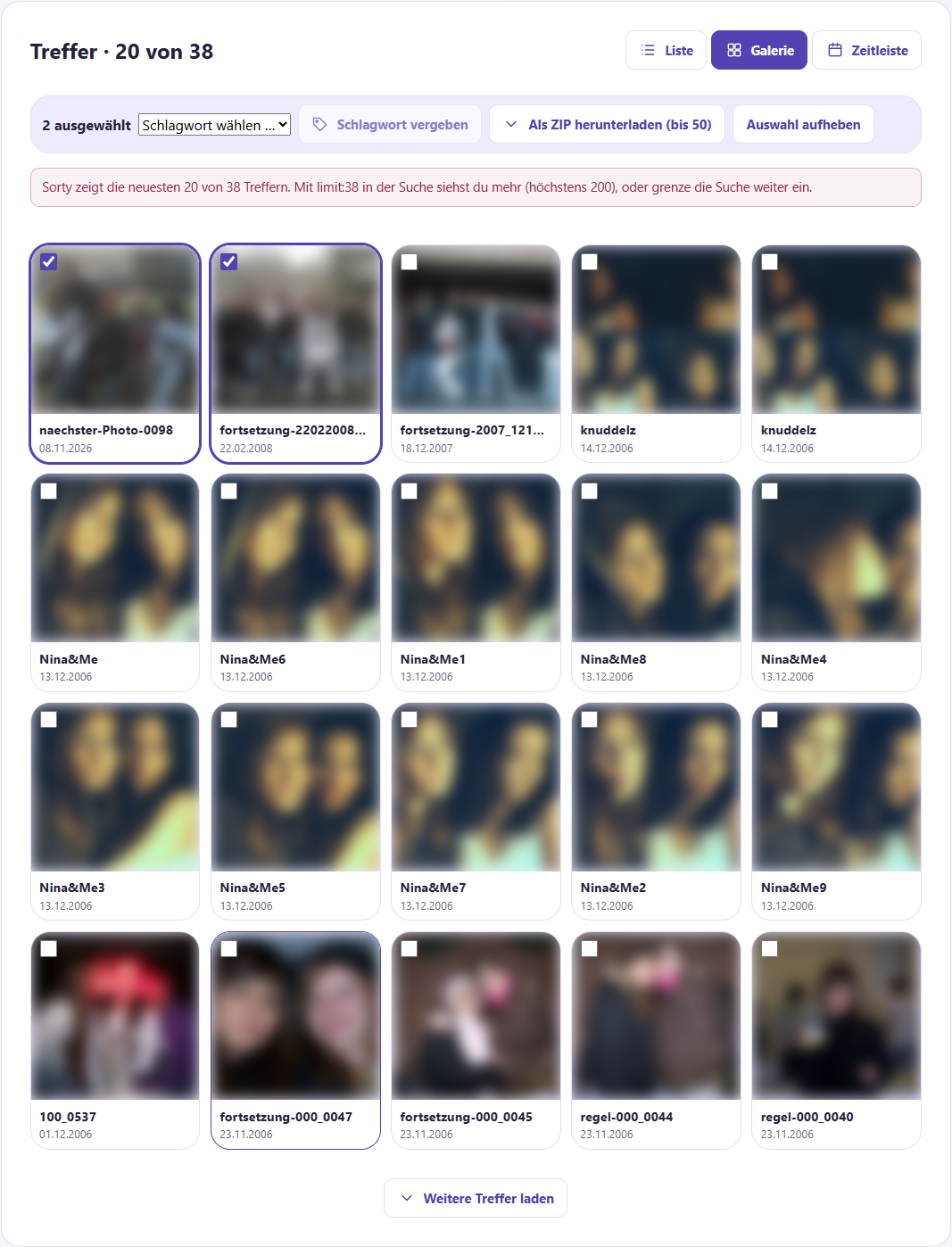
In the gallery and the timeline, each tile has a box. Hake the pictures you need. Selection:
- Keywords awarded Gives all selected images a keyword.
- Download as ZIP Download up to 50 originals as a ZIP file, and for many large images, it takes a bit.
- Repeal of selection Take away all the catches.
Look closely at a picture
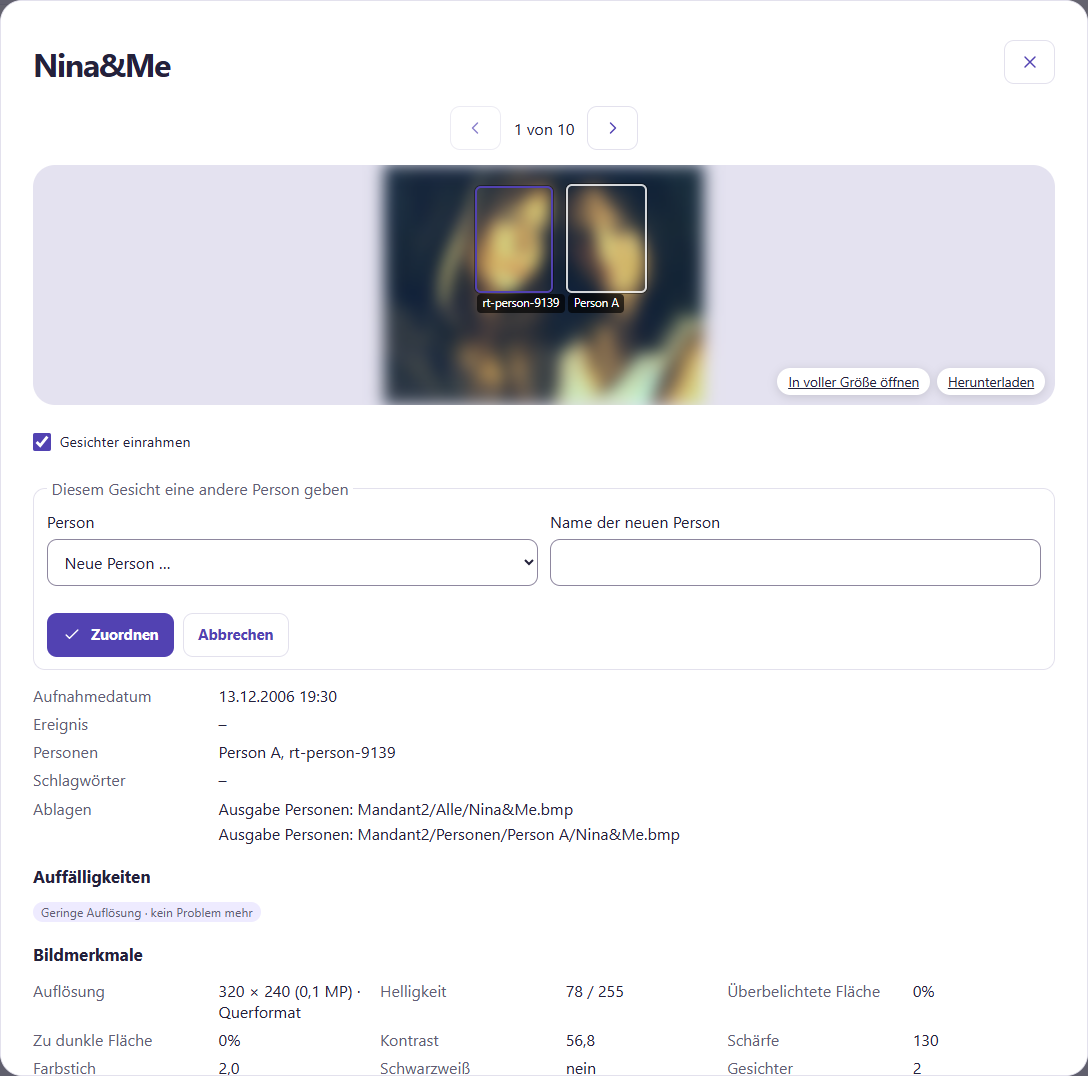
Click on a picture name or a tile, and then the details open with the Original picture. Sorty gets it out of an output folder. It takes a moment. Until then, you'll see the thumbnail out of focus. If the image doesn't come, it doesn't run, or it doesn't find a copy.
- With the Arrows At the top or the arrow keys of your keyboard, you'll scroll to the previous and next hits, and on your phone, you'll swipe left or right, and between the arrows, for example, 2 of 50.
- Open in full size Shows the picture in a new tab. Download save the original.
- With Framing faces It shows Sorty where it found faces, and under each frame is the person's name or Who is that?.
- Click on a frame to give the face a person. New person ... And then type in a name. Assignments. Sorty remembers the face and recognizes the person better in the future.
Watch a video
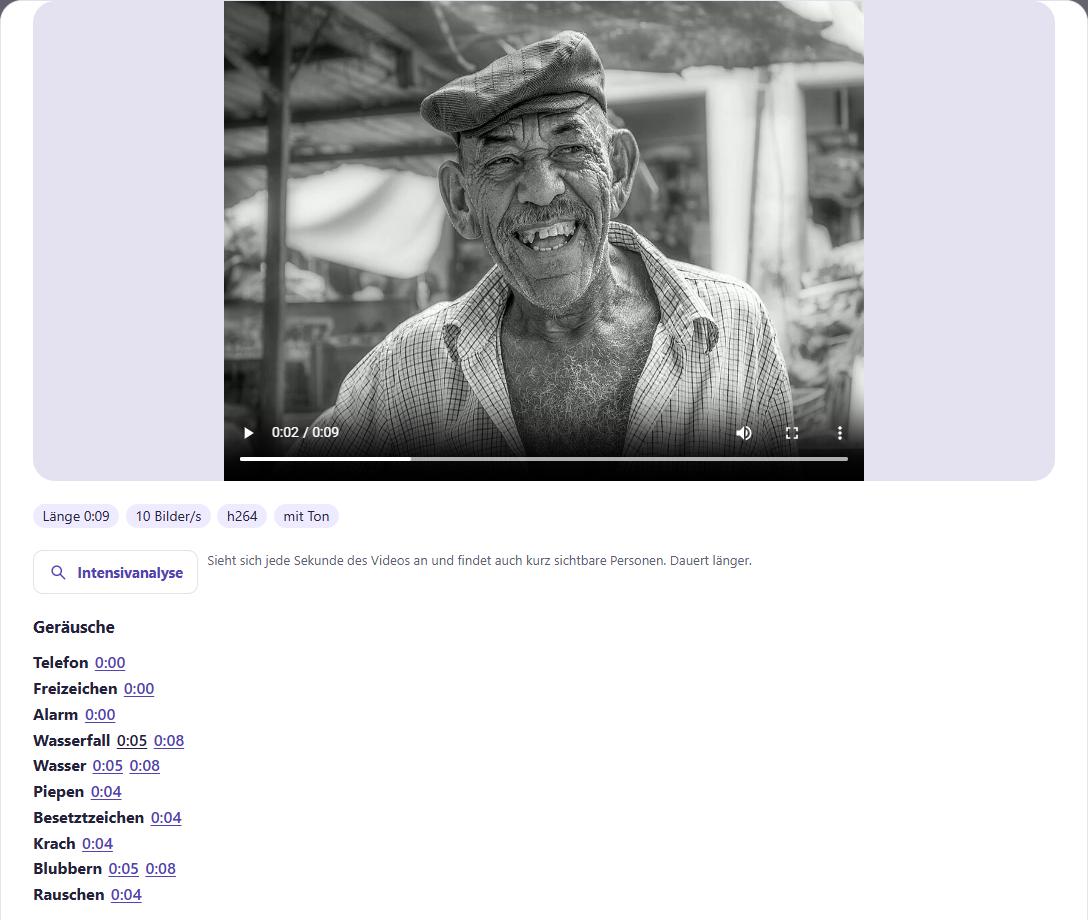
In the gallery, you can recognize videos by the sign ▶ with their length on the tile. found at 0:42. One click opens the details with the Video. You can play it right away and rewind it to any location, sorty loading only the part you're looking at.
- Above are Longitude, frame rate and whether the video With clay is.
- In the case of: People is under Entity, When you see the person, a click on the time jumps there.
- Underneath Noise The sounds that Sorty heard are in their place. Copies It says what's being said. Here, too, a click on time jumps to this point.
- Once you have found the video about the search, it starts at the right place.
With Intensive analysis Sorty watches every second of the video, so it also finds people who can only be seen briefly, which takes longer. Activities. After that, it says Intensively analyzed on ....
Searching with your own words
Above the search field you select the Search type:
| Search type | This is how it works. |
|---|---|
| Standard | Searches in names and with the filters from the table above. |
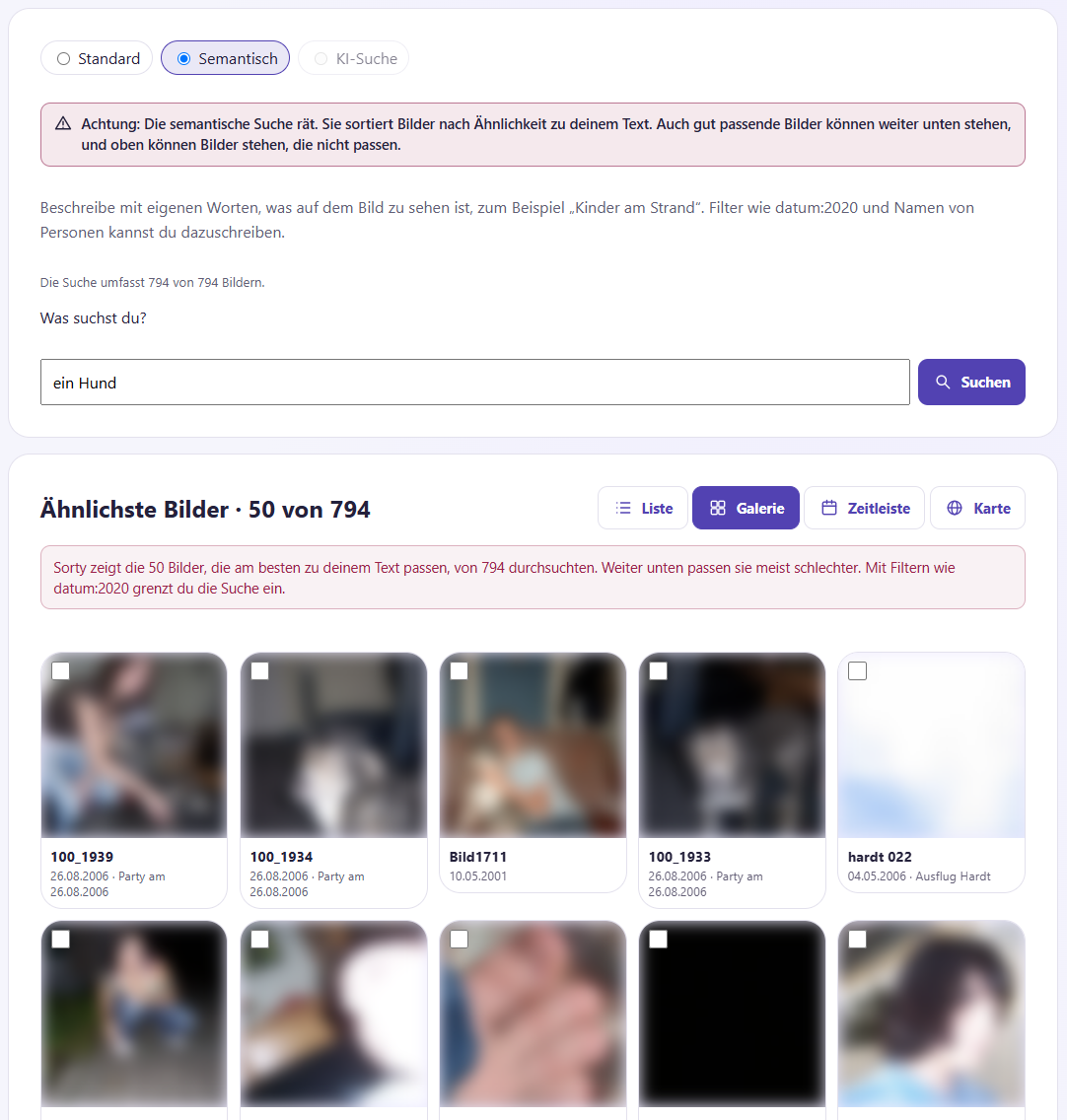
| Semantic | You describe what can be seen in the picture, for example Kinder spielen im Schnee. Sorty sorts the images by how well they fit your text. |
| AI search | You ask a question, for example Bilder, auf denen jemand eine Geburtstagstorte anschneidet. An AI server looks at matching images one at a time, and every time it hits, it says why it fits. |
The types of searches Semantic and AI search You can only choose if a sorty admin has set it up, and if a search type is gray, a hint shows the reason when you drive over.
Videos are found Semantic Also: Sorty compares your text to each scene and if the Tonal analysis It works, even with the tone. Kinder lachen or jemand singt If you open a video like this, it starts at the place that fits best.
For both, you can write filters, for example, Hund am Strand datum:2023. You can also use names of people, for example Anna mit Hut. Sorty recognizes the name itself and only seeks pictures with that person.
Has AI already viewed your photos (see) AI findings), shall be: Semantic More precisely, without having to wait:
- Sorty also compares your text with the image descriptions of the AI.
- Does your text mention a known knowledge, for example,
KatzeorBilder mit Hunden, stand the photos with Yes Among them is knowledge and understanding. Known since.... Photos in which the AI has certainly not seen any of this, slide to the end. - Similar words are not enough for this.
KatzeSo don't find dogs just because they're both animals.
Semantic Well-matched images can be at the bottom, and at the top there can be images that don't fit. Sorty points you out each time. The search includes 3,200 out of 8,000 images. Images sorted before being switched on adds an admin under Activities with Analysis and Image vectors for semantic search.
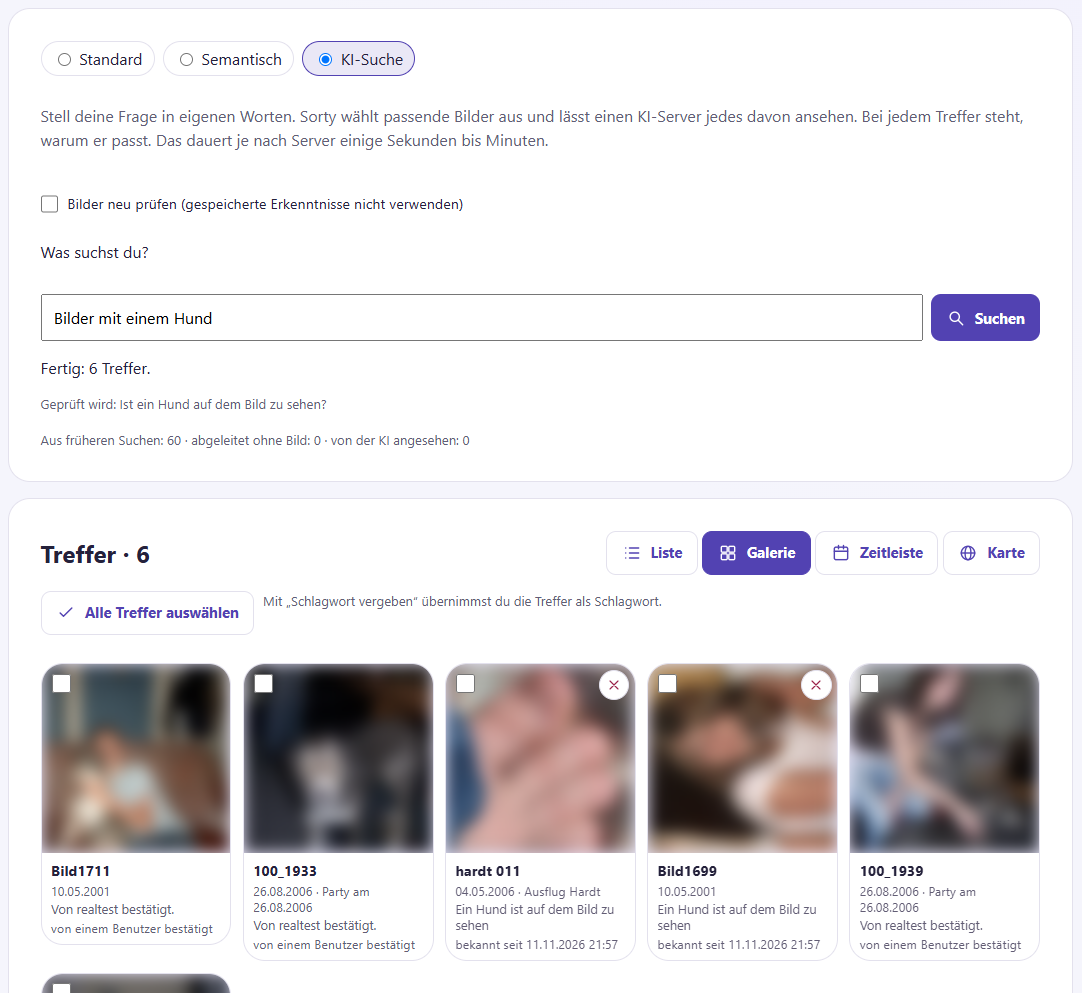
The AI search Sorty first understands your question, then selects suitable images and has them checked, and under the search box you can see the progress, for example, 12 of 60 tested, 3 found. The hits appear during the search. Abortions you stop; the hits so far remain. the reason is in the gallery under the picture, in the list in the column Why we found out If one of the AI servers fails, another server continues, and if there is no one left, the search ends with a hint.
Sorty remembers what the AI has found out about each image, even the nos. If you ask the same later, in other words or in another language, Sorty takes the saved answers and only allows new pictures to be viewed. Below progress is how many answers came from previous searches. For each hit, it says where the answer comes from: Viewed by AI, Known since... or Confirmed by a user.
- If a hit does not fit, click on the × on the tile or in the list on Not true. Sorty remembers this, and future searches for the same insight no longer show the picture. Viewers can't correct anything.
- With Re-examine images let the AI look at all the images itself again, but user corrections still persist.
- With Select all hits and thereafter Keywords awarded Make the hits a buzzword.
Your images stay on your network, the AI servers are with you, and only when an admin has set up a translation service does the search text go there. Names remain in Sorty without explicit permission.
AI findings
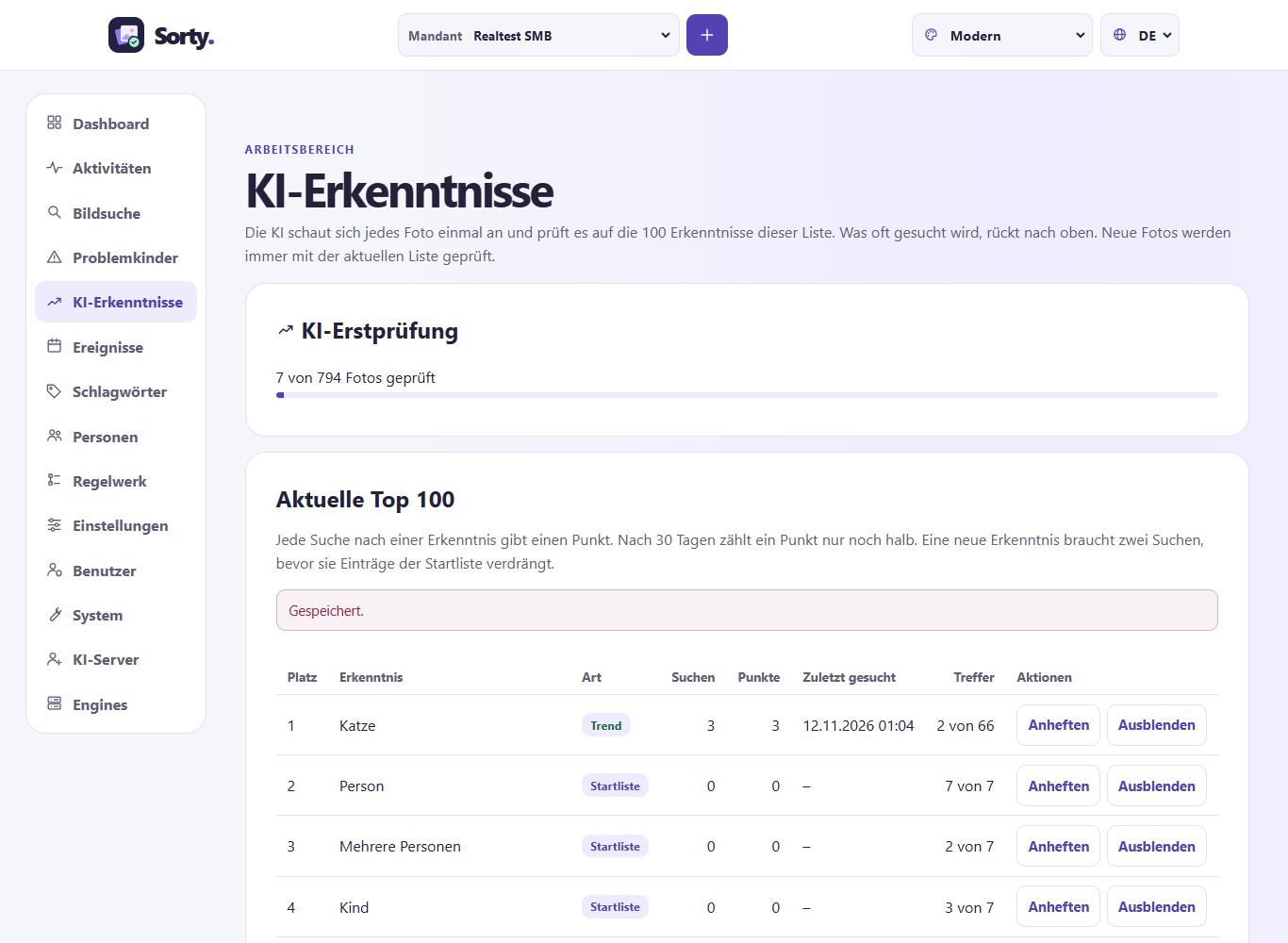
If an AI server is set up, the AI looks at each photo once In the background, this is called Sorty. Initial AI test. Where
- checks the photo on the 100 findings of the list, for example Dog, Beach or Birthday cake,
- Write a short description and
- I'll tell you things that you'll notice.
Sorty uses the answers in semantic search and in AI search, and if you ask for one of those answers later, the AI doesn't have to look at the photo again.
The check only runs if an AI server has nothing else to do. Your own searches always go ahead. A photo takes about a minute. For many photos, it therefore takes a few days until all are checked. New photos come first. If the examination does not work for a photo, Sorty tries it up to three times in total.
In the menu under AI findings See the list:
| Column | Significance |
|---|---|
| Place | The first 100 places are the Top 100. On them, the AI checks every new photo. |
| Species | Starting list: From the beginning. Trend: Often sought. Sticked: an admin keeps them in the list. Wanted: was searched, but is not a trend. |
| Search and Points | Each search gives one point, and after 30 days, one point only counts half, so the list follows what is being asked. |
| Hits | On how many photos the AI has seen the insight, of all photos with answers. |
At the beginning, the list consists of the start list. If you often look for something new, move it up. From the second search, it can displace an entry of the start list. Photos that have already been checked are therefore not checked again by the AI. Sorty then learns the new insight in the next AI search.
Client admins can list entries affixed (they always remain in the top 100) or Hide out (they fall out) Hidden entries are at the bottom and can be combined with Overlays Retrieve saved answers.
Media with issues
Underneath Media with issues Sorty will show you pictures where something stands out, which can be a fuzzy or too dark picture, a tint of color or someone with eyes closed. Possible duplicate This means that a different picture looks almost exactly the same. Absence of storage It can say: Then the maintenance has not found a copy of the image in the output folder, under each image is what Sorty found, and the images still remain normal in your collection.
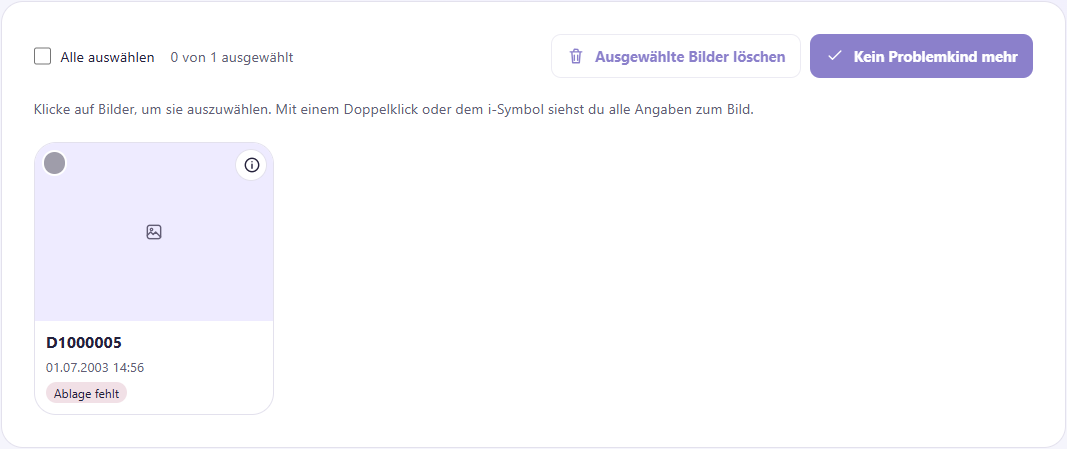
- Click on an image to select it, and you can select multiple images or Select all of them All at once.
- No more problem child takes the selected images from this list. The image itself does not change.
- Delete Selected Images Remove the images from the output folders and from Sorty. The originals remain in the image source as they are. Sorty remembers the deleted images and doesn't import them again later. Before deleting something, Sorty asks.
- With one Double-click in a picture or with the i At the top right, you can see everything Sorty knows about the picture, such as people, trays and the measured values.
Indicate Person learning Sorty is more severe: A fuzzy, too dark or too bright learning image or a face with closed eyes does not take Sorty to learn in the first place.
Work with lists
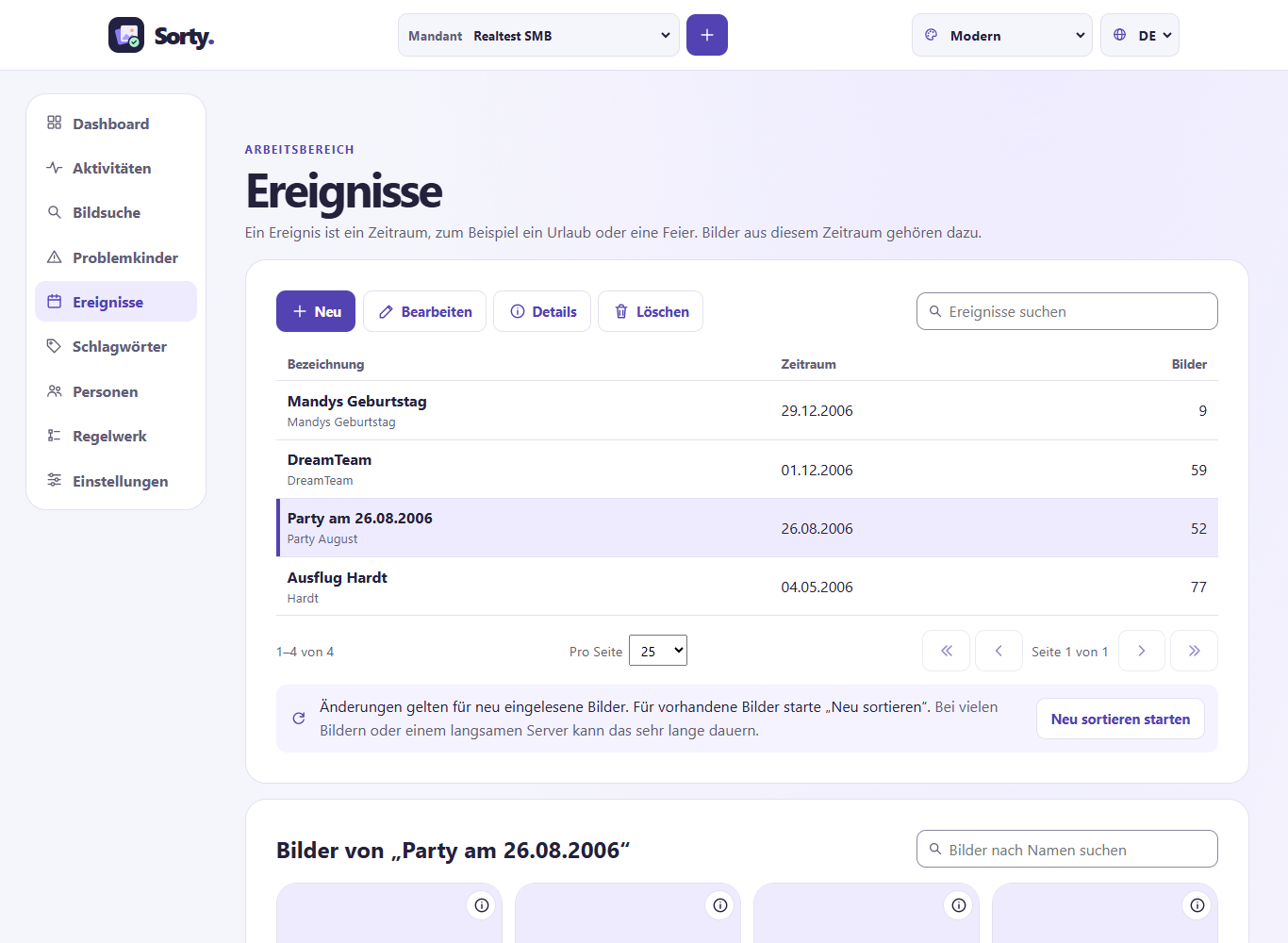
Events, tags, people and sets of rules are structured the same. New, Processing, Details and Deletion. Click on a line to select it. Double-click You open their details, and underneath them, Sorty shows the images that belong to the selected entry, and again, a double-click opens the details of an image.
Sorty divides long lists into pages, and under each list, you select how many entries a page shows and scroll through the arrows, and the search box at the top right shows only entries whose name contains the search text.
First of all, changes only apply to newly read images, so that they also apply to existing images, click Start re-sorting. For many images or a slow server, this can take a very long time.
Events
One Event is a period of time, for example, a holiday or a celebration, and every image from that period is part of the event. New If you create an event, give an event. Designation, one Short names and Starting date and End date an. You enter the beginning and end in your local time. Anyone who is in a different time zone sees them in their local time. Folder names with the date of the event depend on the time zone in which the event was created. The short name uses rules and folder names. Choose it therefore short and without special characters, for example Italien2026.
Events can be intertwined, for example, an evening within a holiday, and then a picture of that evening belongs to the shorter event, i.e. the evening, only partially two events must not overlap, then Sorty points you out when saving.
Sharing an event
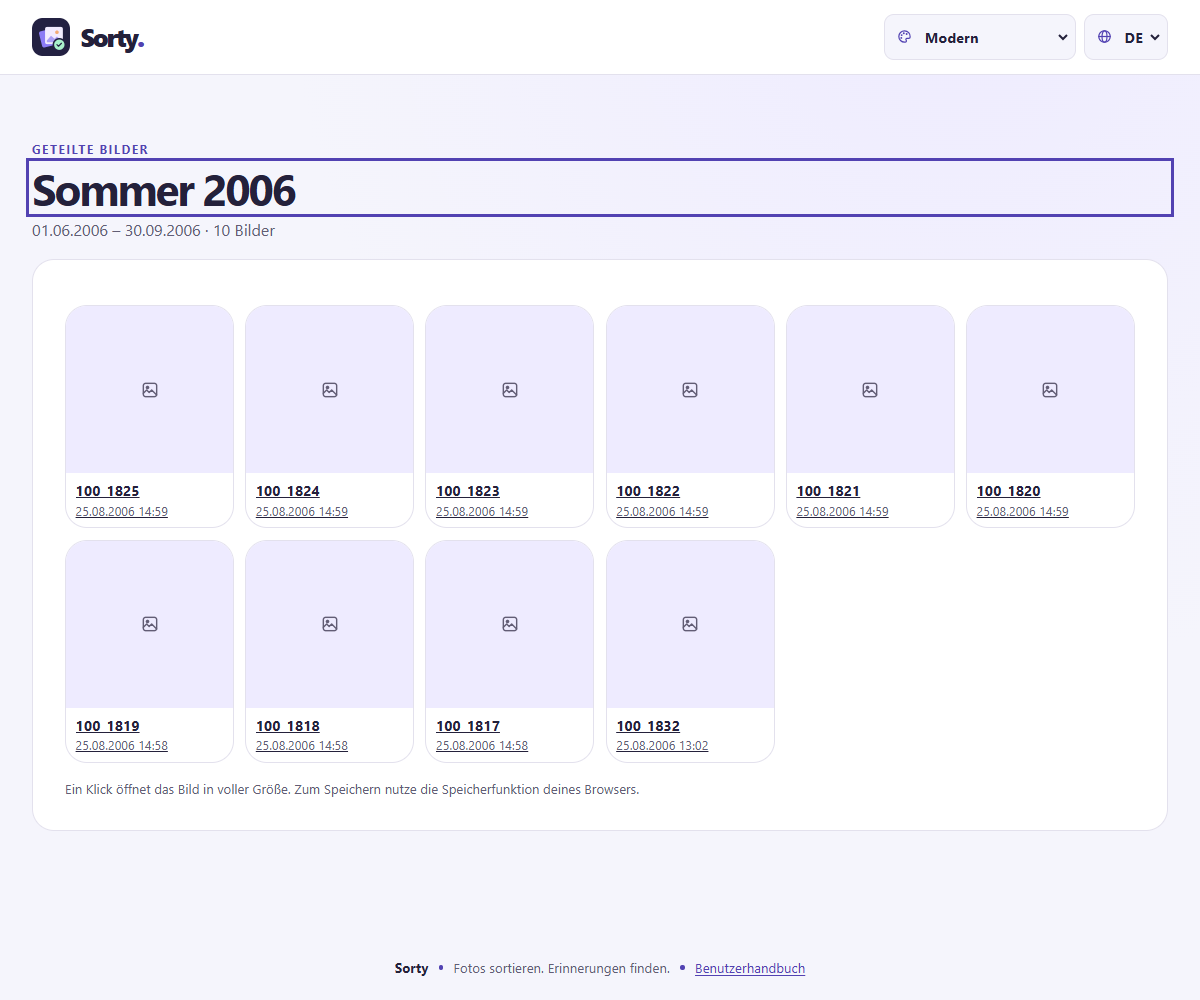
With Parts show the pictures of an event to people without a sorty account, for example to the guests of a celebration.
- Select the event and click Parts.
- Laying under Valid for days determine how long the link is valid (maximum 90 days).
- Click on Create a release link And copy the link. Sorty just shows it this one time.
If you have the link, you can only see the images of this event without logging in, and one click opens a full-size image. Finishing Make the link invalid at any time.
Keywords
Keywords describe images, such as "family" or "archive." A set of rules assigns them to the images on which one of its rules fits. On this page, you create keywords with name, description and color, below which you can see the images with the selected keyword.
People
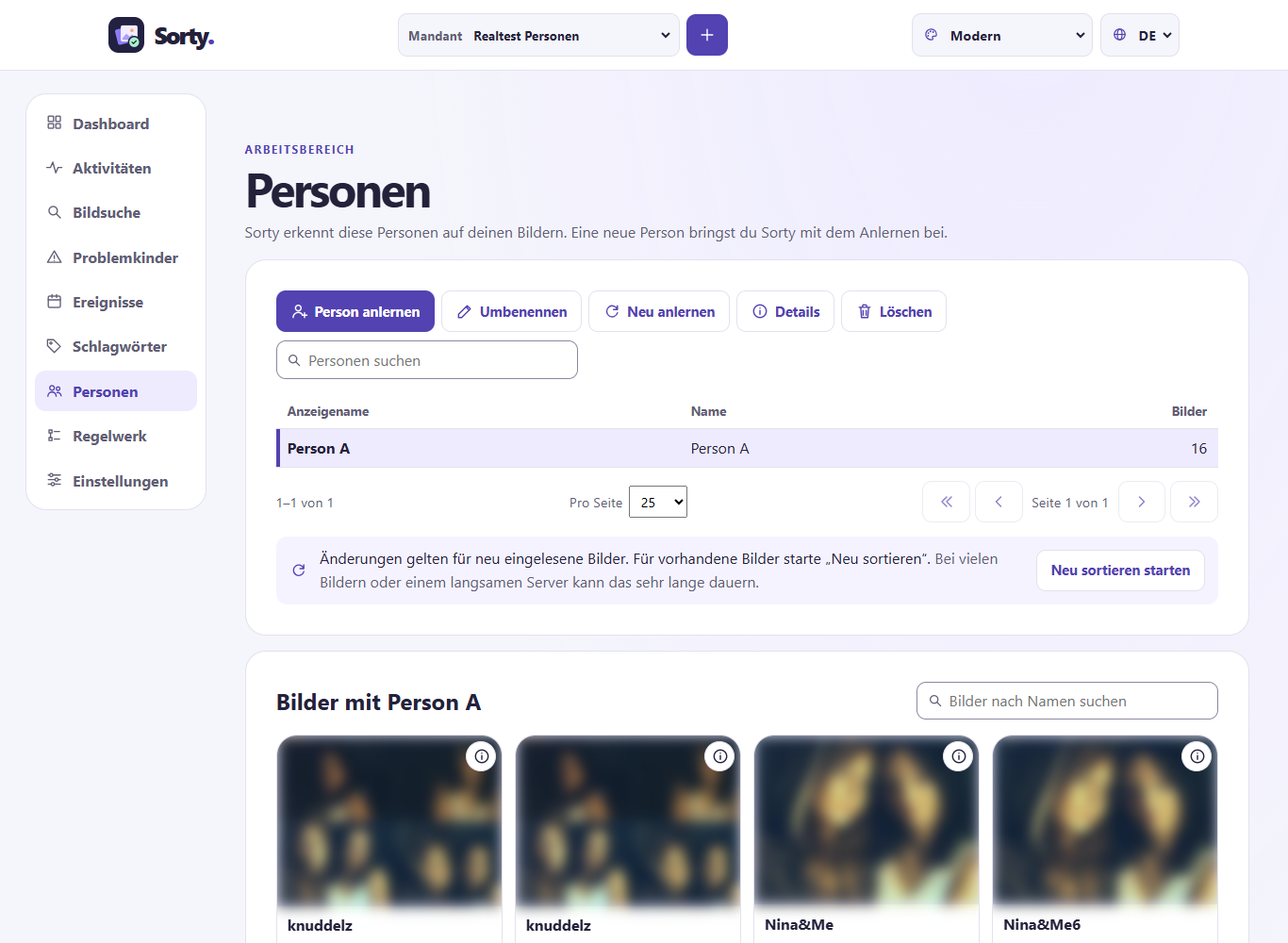
Here are all the people Sorty recognizes in your pictures, before each name is a small facial image when the thumbnails are on, and below that you can see the pictures where Sorty recognized the selected person.
- Person training teaches Sorty a new person, put some good photos of the person in an image source, each photo must show only her face. Names And then you start learning, and you see the progress. Activities.
- You can only train a new person if all the people you know have a name, so Sorty doesn't confuse faces, people without names are at the top of the list. Renaming a name.
- Relearning learns the face of the selected person again from the image sources.
- Deletion Remove a person. This is only possible if no rule uses the person. Otherwise, Sorty will tell you the rule set and the rule. Change that rule first. When deleted, Sorty will ask if the images should be re-sorted afterwards. Delete and re-sort, if the shelf spaces are to be adjusted immediately.
Name unknown faces
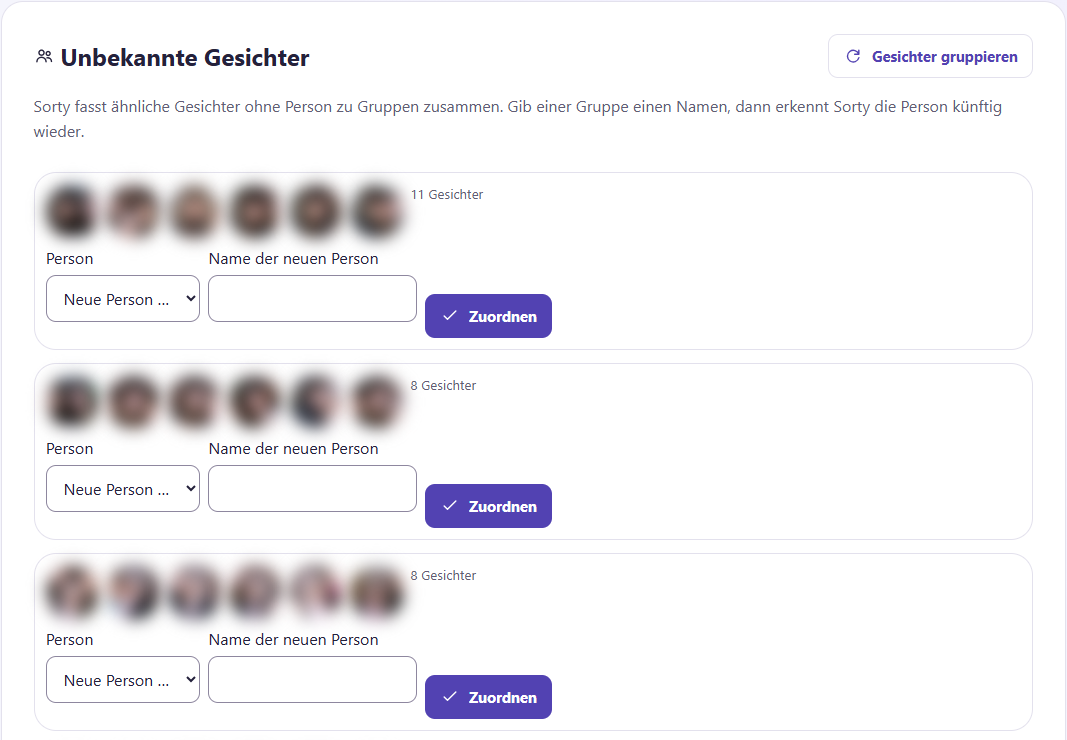
The list shall include: Unknown faces. There, Sorty brings together similar faces without a person into groups, and the largest groups are on top.
- Click on Grouping faces. Sorty searches in the background. Reload the page after a short time.
- Choose from a group Person an existing person; or New person ... and type the name.
- Click on Assignments. All the faces of the group now belong to this person, and Sorty recognizes them in the future.
For images that Sorty has read in before this function, the face data is still missing. Activities the task: Analysis with Image features, faces and thumbnails.
Rule set
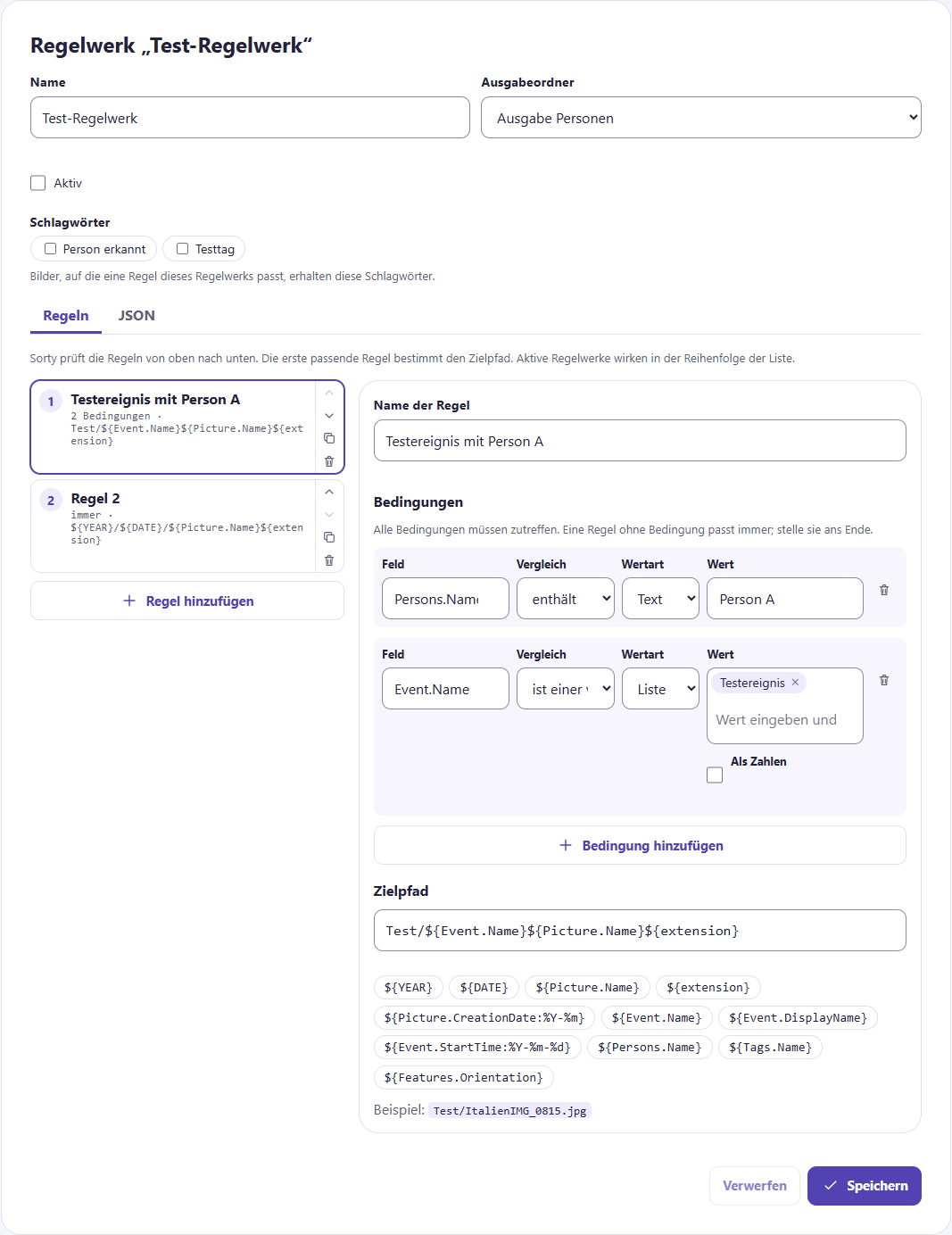
One Rule set Sorty's folder and path defines where Sorty puts a picture, and at the top, you choose a set of rules. New A new one, copy it with Duplication or delete it. Under it you edit the selected set of rules:
- Name of name, Output folders and Active This applies to the whole set of rules, only active sets of rules sort images.
- The Keywords You'll get all the images that one of its rules fits on. Target pathway use (
${Tags.Name}). You can also see sets of rules that are further down the list. - On the left are the Rules. Sorty checks them from top to bottom; the first matching rule wins. The arrows change the order.
- On the right you edit the selected rule. Conditions If you choose a Field, for example,
Persons.Name, one Comparison, for example, "contains" and a Value. All conditions must apply. A rule without conditions always fits, so put it at the end. - The Target pathway For example, with the placeholders underneath, you insert the year or name of the event. Example show you immediately what a path would look like.
- Underneath JSON you see the whole set of rules as text and can also edit rare settings.
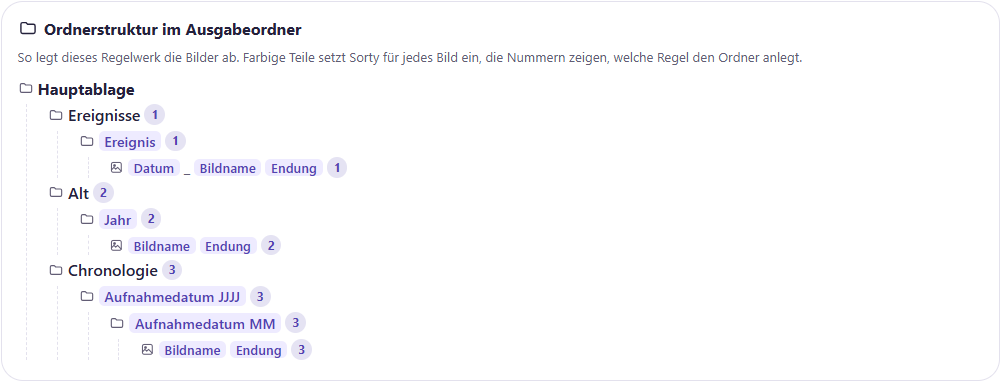
Under the rules shows Folder structure in the output folder, which folder creates this rulebook. Sorty uses color parts for each image, for example, Year or Event. The little numbers show you which rule creates a folder, and the tree changes immediately when you edit a destination path.
Sorty checks your input immediately and shows problems in red under the editor. Storage.
Re-sort Applies the rules again to existing images, adding new keywords to the images, but Sorty doesn't take away keywords. Job.SubjectLocation checks the same path when re-sorting as when first sorting: the path in the image source.
Settings and photos on the device
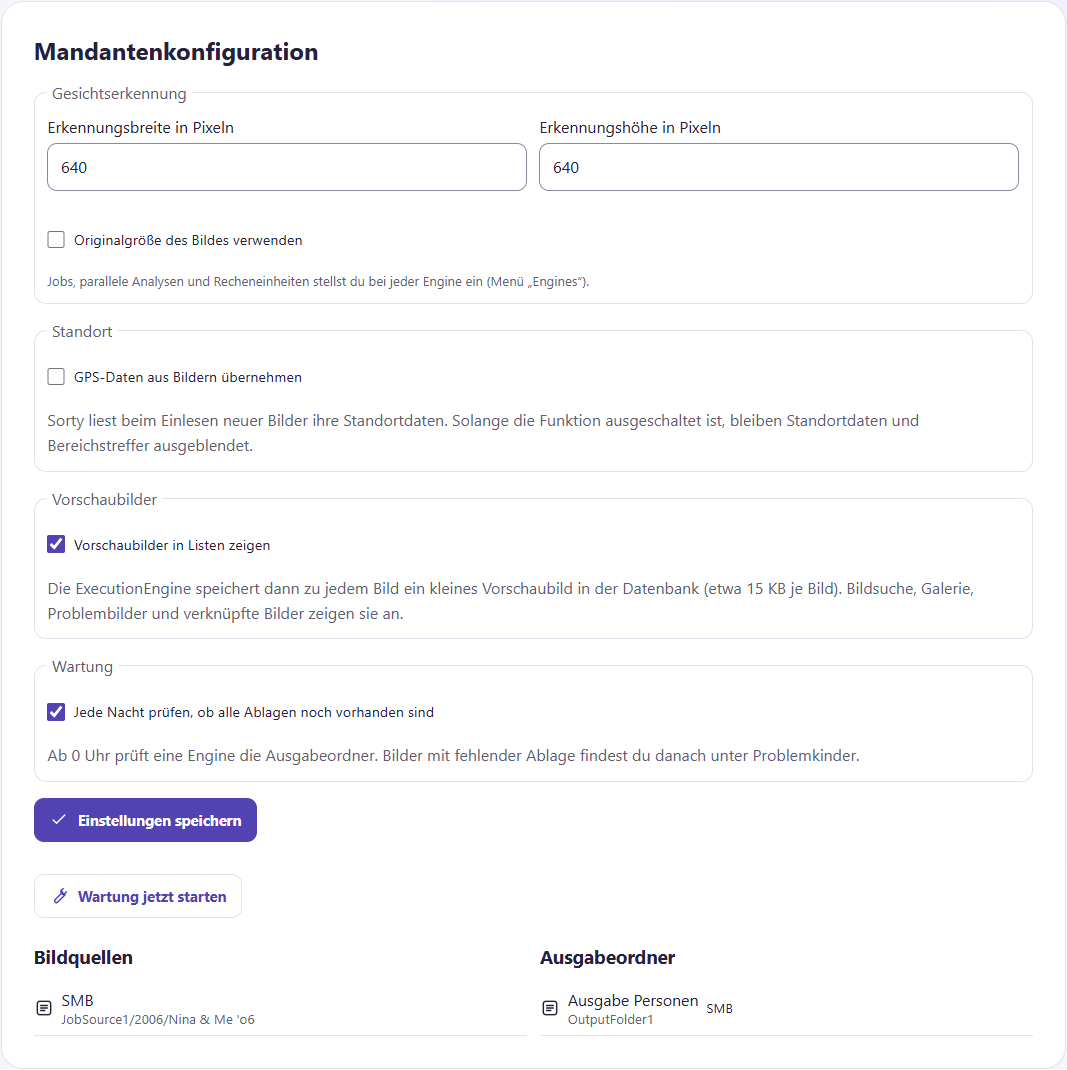
The Settlements You can see only tenant admins and sorty admins, and you can see the image sources, the output folders, and the engines that work for that tenant, and if there's no engine, wait for new tasks until an engine is available. Face recognition adapting and Adopt GPS data from images The setting applies to newly read images.
Thumbnails
With Show thumbnails in lists Sorty shows little pictures in the media search, in the gallery, with the problem children and under events, buzzwords and people.
- The engine then puts a small thumbnail in the database for each new image. It takes about 15 KB. For 10,000 images, that's about 150 MB.
- For images that are already there, you start after saving under Activities the task: Analysis with Only thumbnails (fast). Sorty then adds to the missing preview images and does not move files.
- If you turn the setting off again, Sorty will delete the preview images of this client.
You always see the original image in the details, even without preview images.
Check storage overnight
Sorty can check every night if all the stored images are still in the output folders. Settlements Underground Maintenance services the tick Check every night to see if all the trays are still in place It's already on for new clients. One of the engines will take the exam from 0 o'clock. If there is no engine available, Sorty will take the exam later in the day.
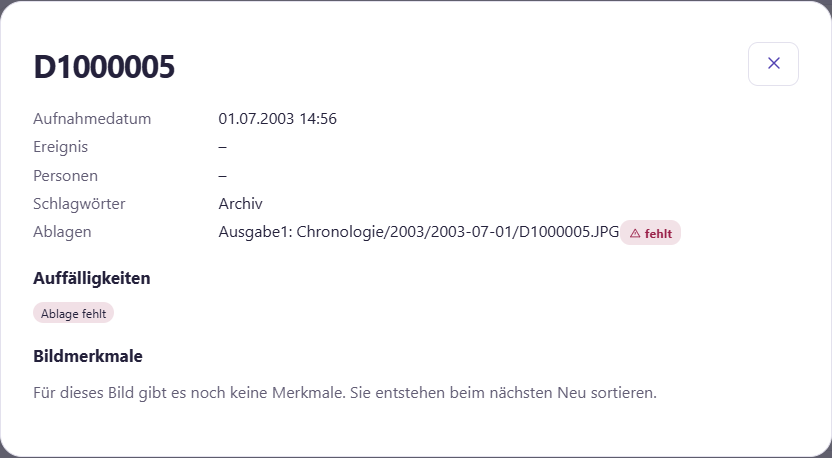
With Start maintenance now Sorty doesn't change anything on your files. If you don't have a shelf, the image becomes a problem child. Absence of storage. In the image details, the missing storage is with Missing If the file is back in place, the note disappears on its own at the next check. problem:fehlt.
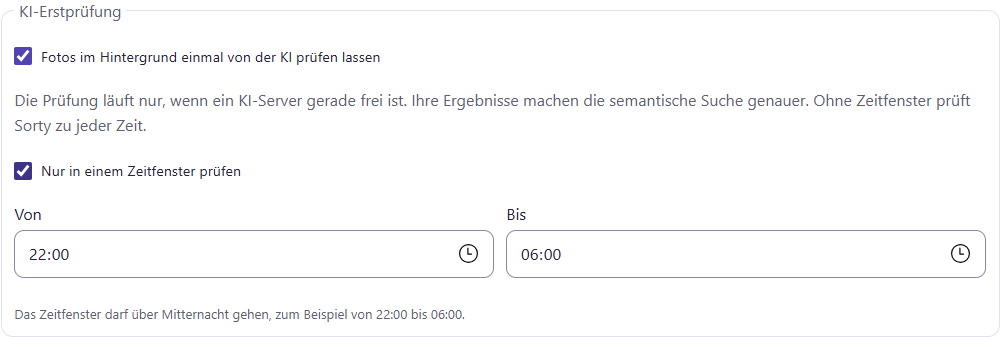
Enable or disable the initial AI review
In the Settlements Underground Initial AI test Sorty checks whenever an AI server is free, and then checks if the client's photos are in the background.
If the AI should only work at certain times, such as at night, hake Check only in a time window put on and carry: From and Up to The window is allowed to go over midnight, for example, from 10 p.m. to 6 p.m. Save settings.
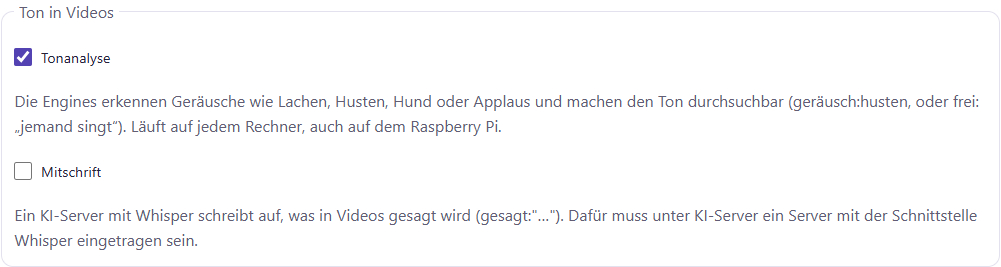
Sound in videos
In the Settlements Underground Sound in videos There's two switches. In the beginning, both switches are off.
| Switches | What happens |
|---|---|
| Tonal analysis | The engines detect sounds like laughter, cough, dog, applause, and you'll find them with you. geräusch:… It runs on any computer, even on a Raspberry Pi. |
| Copies | An AI server with Whisper Write down what's being said in the videos. gesagt:"…". For this, a sorty admin must be under AI server a server with an interface Whisper Enter. |
The switches apply to newly-read videos. For videos that are already there, start at Activities the task: Analysis with Sound of the videos.
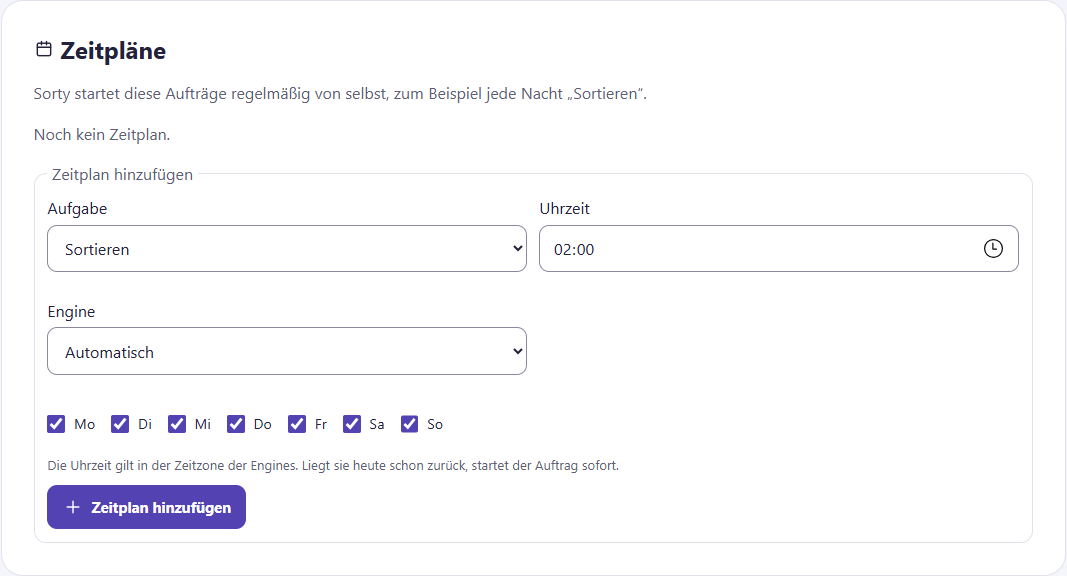
Schedules
Underneath Settlements they are: Schedules. A schedule starts a task regularly by itself, for example every night Sorting. This is how new photos end up in the folders without your intervention.
- Choose the Task, which: Time and the Days. Without selection, the plan applies on a daily basis.
- Let's get involved Engine Automatic stand or choose a certain engine.
- Click on Adding timetable.
The time is in the engines' time zone, and if it's already back today, the task starts right away. Pausing You keep a schedule, with Continuation He's running again. Deletion Remove it.
Automatically adjust performance
The power customization changes the engines, so they only see sorty admins. Settlements is the area Automatic power adjustment. There you can see the result of the last adjustment:
- Measured engine: the engine on which the measurement was made.
- Servers: The computer of this engine.
- Time per image: how long a picture takes now and how long it took before.
- Found faces: How many faces Sorty finds compared to the most thorough search.
- Settlements: which values Sorty has adopted.
With Show all attempts If you see every attempt with time, processor, memory, and result, the measured engine now runs on different hardware, Sorty points you out.
The performance values apply to the engine on which the measurement was made, and if several engines work for the client, you can use Engine Choose which one to measure.
To start the adjustment, select a Profile and click on Starting with power adjustment. The button is only active if an image source has at least 500 images. Activities. This is what Sorty does:
- Sorty checks whether the engine can examine the images in their original size, but it works with the smallest settings, and the original size finds the most faces and therefore has priority, even if it takes longer.
- After that, Sorty searches for the fastest values for jobs, analytics and threads, and the processor is allowed to work at full speed, only memory is limited by the profile.
- If one engine does not make the original size because the memory is not enough, the other engines of the client also check their limit. Determining the detection variable. In the end, the client uses the smallest size that all engines create.
The values of an engine can be found under Engines They also change themselves. more about that Manage engines.
Take photos with the app
In the MAUI app you can under Media search Select keywords and take a photo or select an existing JPEG. If GPS is on for the client, you can also add your current location. The app will then ask for your location sharing. From the menu of your device, you can save or share the edited copy.
With Recording video If you record a video, the app checks the time just like it does for a photo and writes it into the video along with keywords and location, and the video continues to play in any player.
For a new photo, the app compares your phone’s watch to the Sorty server’s watch. If the cell phone clock goes wrong for more than a minute, the app writes the right time into the photo. She also writes the time zone and notes that the time is checked. Such photos Sorty never corrects later. If the server is not accessible, the app asks a public time source on the Internet. If this does not succeed, it takes the last measured difference. With an existing JPEG, the app does not know when it was recorded. It therefore receives no note.
Workspace time zone
In the Settlements Underground Time zone Set the time zone for images where Sorty does not otherwise find a clue, and the time zone of the server, usually Europe/Berlin, applies without selection.
Manage engines
The page Engines They only see sorty admins. Engine is the program that sorts your pictures. There can be several engines, for example on different computers. Then large collections are completed faster, and several clients can work at the same time. A new engine logs on itself at launch. Whoever installs it only connects it to the same database.
The menu item Engines You can only see who can manage the engines. The first account can always do that:
- Status: Ready, Worked, Do not accept anything new, Unavailable or Deactivated. An engine is considered unreachable if it has not reported for one minute.
- Works for: All clients Or a certain client.
- Hardware and Performance the engine.
- Detection variable: Whether the engine has the images in Original size can examine or only up to a certain size. If an engine does not make the original size, Sorty points out under the list. All engines of a client work with the same size. A weak engine therefore ensures that Sorty finds fewer faces on all engines. More memory for this engine helps.
- Currently active: which task she is doing for which client.
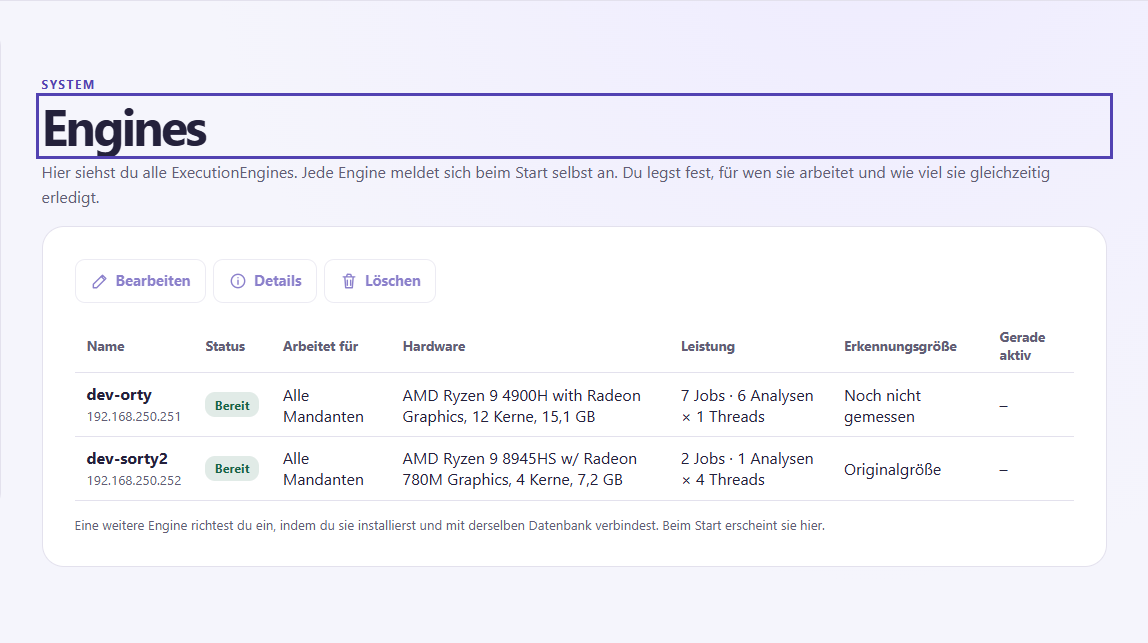
With Details see what an engine can do: its Computing units, which: Storage types, Functions like MediaPipe and the installed Software. Memory types that do not control a powered-on engine cannot be selected when setting up an image source or output folder.
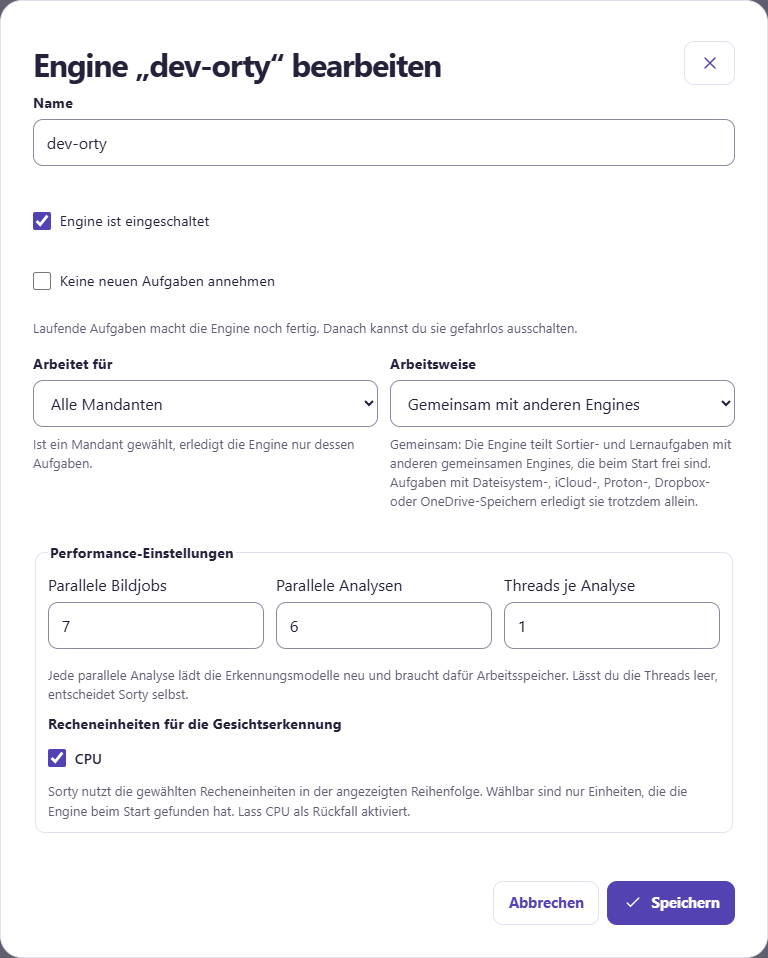
With Processing If you change an engine:
- Name of name: as the engine in Sorty is called.
- Engine is turned on: Without check marks, the engine no longer takes over tasks.
- Do not accept new tasks: The engine completes ongoing tasks, but does not accept anything new, so you can shut down a computer safely.
- Works for: If you choose a client, the engine only performs its tasks, and for that client it takes precedence.
- Working principle: At Entire task alone The engine does every task itself. Together with other engines It shares large tasks with other engines that are also set up in this way. Complete tasks together.
- Parallel picture jobs, Parallel analyses and Threads per analysis: how much the engine does at the same time. Each additional analysis requires more memory. Threads per analysis Sorty decides on his own, it only works with an analysis, analyzing threads can be no more than the engine has cores, image jobs can be up to twice as many, because a job also waits for the files to be read and written, and the dialogue tells you the limits of the engine.
- Computation units for face recognition: Selectable are only units that the engine has found. CPU Then Sorty continues to work if a graphics card is not ready.
The engine takes over the new values within 15 seconds.
An engine that is no longer needed is removed with Deletion. This is only possible if it is not up and running, and previous tasks are retained.
Under the list, Sorty warns you if the machine of an engine is running out of space (less than 2 GB or 10% free). If an engine runs with a different version than the web server, this is also there. Then the person caring for Sorty should provide all the parts with the same stand. The version of the web server is at the bottom of each page.
How fast is Sorty?
How quickly Sorty sorts depends mainly on the processor, and facial recognition makes it work all the time:
| Computers | Images per second | Images per hour |
|---|---|---|
| Current processor with 4 cores (AMD Ryzen 9 8945HS, 8 GB) | 1,06 | about 3,800 |
| Older processor with 12 cores (AMD Ryzen 9 4900H, 16 GB) | 0,43 | about 1,500 |
| Raspberry Pi 5 (8 GB) | 0,27 | about 1,000 |
All the computers found exactly the same faces, so a weaker computer only takes longer. Parallel analyses It's much faster, and it's much faster with one thread each, and you can schedule about 1 GB of memory per analysis.
Complete tasks together
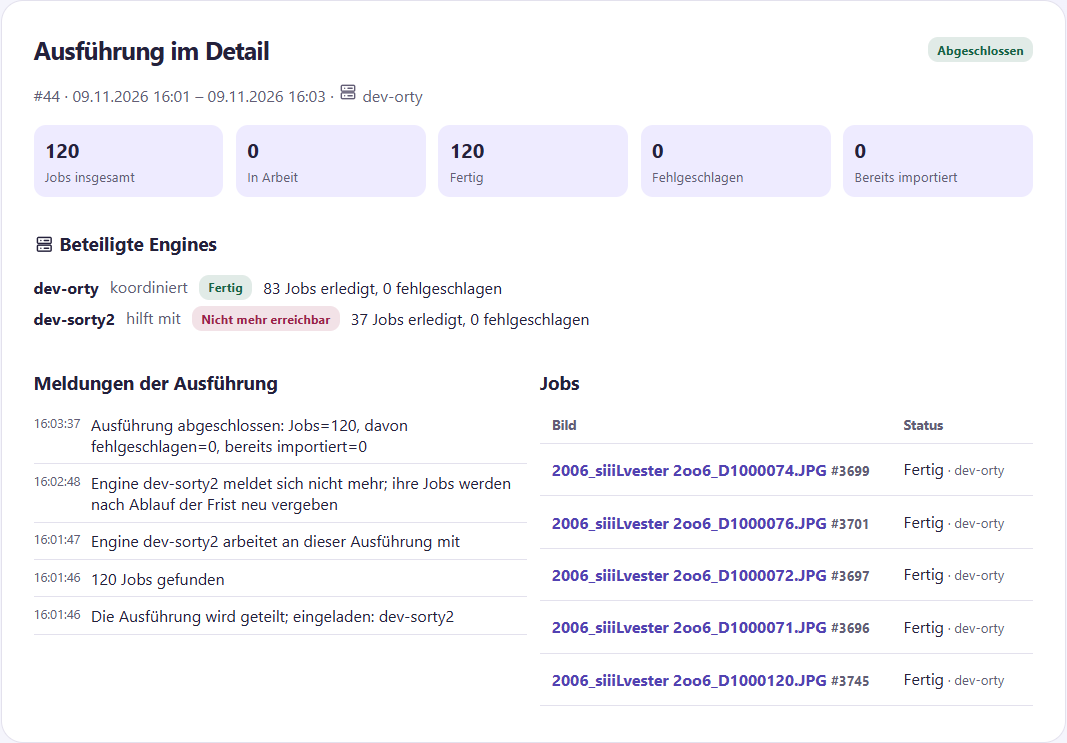
Several engines stand up Together with other engines, work together on a task. The engine that takes over the task invites all other common engines that are currently free and are allowed to work for the client. This is only worthwhile with enough pictures: For a few pictures, one engine works alone, because it would be finished before a second one has really started. Those who become free later will no longer enter. Each engine then always gets a few pictures at once. A fast engine gets replenishment more often; so the work is distributed by itself.
- Divided are: Sorting and Person learning. All other tasks are done by an engine alone.
- If image sources or output folders are located in the file system of a computer, in iCloud, Proton Drive, Dropbox or OneDrive, an engine does the job alone.
- If one engine fails, another takes over its started images after two minutes at the latest.
- If one engine breaks down with one error, everyone stops, and Sorty undoes the whole task, which is just like one engine worked.
Underneath Activities in the case of a common task, the list shall be: Participating Engines: Which engine coordinates, which ones help, and how many images each has done. In the job list, behind each image is the engine that has edited it.
Backups and email
The page System You'll only see Sorty admins, where you'll see settings for the whole Sorty installation. Save settings.
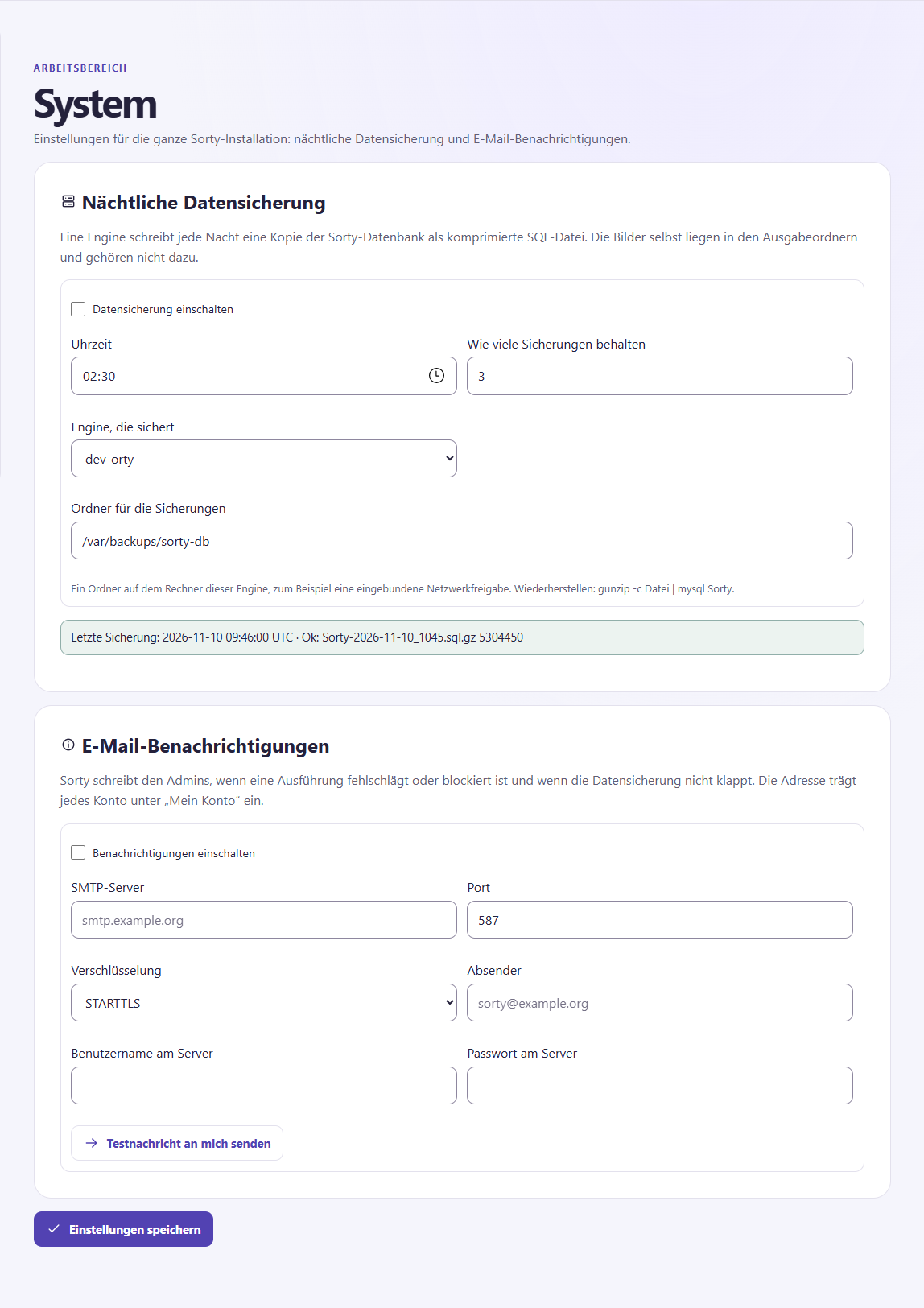
Nocturnal data protection: An engine writes a copy of the Sorty database every night as a compressed file.
- Hake Turn on data backup an.
- Choose the Time, How many fuses keep and the Engine that secures.
- Give it to the Secure folders It's on the computer of this engine, for example, a built-in network share. If there are more backups than set, Sorty deletes the oldest ones.
Underneath it is the result of the last backup, the images themselves are in the output folders and do not belong to the backup.
E-mail notifications: Sorty writes to all admins with an email address if an execution fails or is blocked, the backup does not work out or the certificate of the web server expires in less than 14 days: SMTP server, Port, Encryption, Consignee and, if necessary, User name and Password on the server. Save and then click Send test message to me. The result will appear below after a few seconds, and you'll need an email address in your account.
Two-factor authentication: Hake on, for whom it is obligatory: Sorty admins and on request also Client admins. Set it up for your own account beforehand; otherwise, Sorty won't save the obligation so you don't lock yourself out. Two-factor authentication.
Access Sorty remotely
On your own network, you open Sorty via the name or address of the computer:
- Your own address on the Internet, for example,
fotos.example.orgwith a domain provider or free of charge via a DynDNS service such asmeinname.ddns.net. It points to your Internet connection. Many routers (for example, the FRITZ!Box) keep DynDNS up-to-date themselves. - A port release on the router For the ports 80 and 443 to the computer on which Sorty is running. Internet → Releases → Port Releases. Port 443 is the way to Sorty, port 80 needs Let's Encrypt for verification and otherwise redirects only to HTTPS.
- A certificate from Let's Encrypt, so that the browser opens without warning. Sorty gets it himself, see below.
Has your connection DS-Lite or CGNAT (often for cable and fiber connections), there is no own public IPv4 address and port sharing for IPv4 does not work, then ask your provider for a public IPv4 address or use IPv6(NAT loopback). Then the address only works from the outside; test it with the mobile phone on the mobile network.
Request a certificate
The page System Certificates They only see Sorty Admins.
- Click on Request a certificate.
- Carry under Addresses (domains) your address, for example,
fotos.example.org. Several addresses are separated by comma. - Carry one E-mail address Let's Encrypt writes only for important changes.
- Click on Checking accessibility. Sorty checks if the address points to a public IP address and if that sorty responds via port 80. The list gives the reason for problems, such as a missing port release.
- Agree to the terms of Let's Encrypt and click Request. Sorty checks all the addresses again, fix any reported problems, and then try again.
The requirement runs in the background and usually takes less than one minute. Protocol After that, the web server will use the new certificate immediately, without restarting. Test environment of Let's Encrypt: There are no limited attempts, but browsers do not trust this certificate.
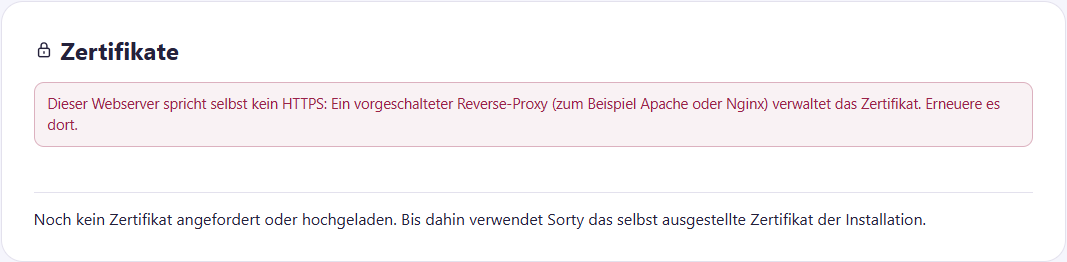
In the list, each certificate with its addresses, the provider, the expiration date with traffic lights (green, yellow from 30 days, red from 14 days) and the status. Replacement Certificates from Let's Encrypt itself, in time for expiration and at the time Let's Encrypt recommends. If that doesn't work, the admins will get an email. Renewal You push it right away. Used Make another certificate active, Again use the certificate of installation returns to the self-issued certificate of the setup. Download outputs the certificate chain without a private key.
Upload your own certificate: If you already have a certificate, upload it as a PFX file with password or as a PEM file with key. Sorty uses it immediately. Sorty does not renew your own certificates; upload a new one in time.
If Sorty runs behind another web server (reverse proxy such as Apache or Nginx), it is on the page This web server itself does not speak HTTPS. The certificate is then managed by the proxy.
Setting up semantic search and AI search
These settings only see sorty admins, and apply to all tenants.
Turn on Semantic Search
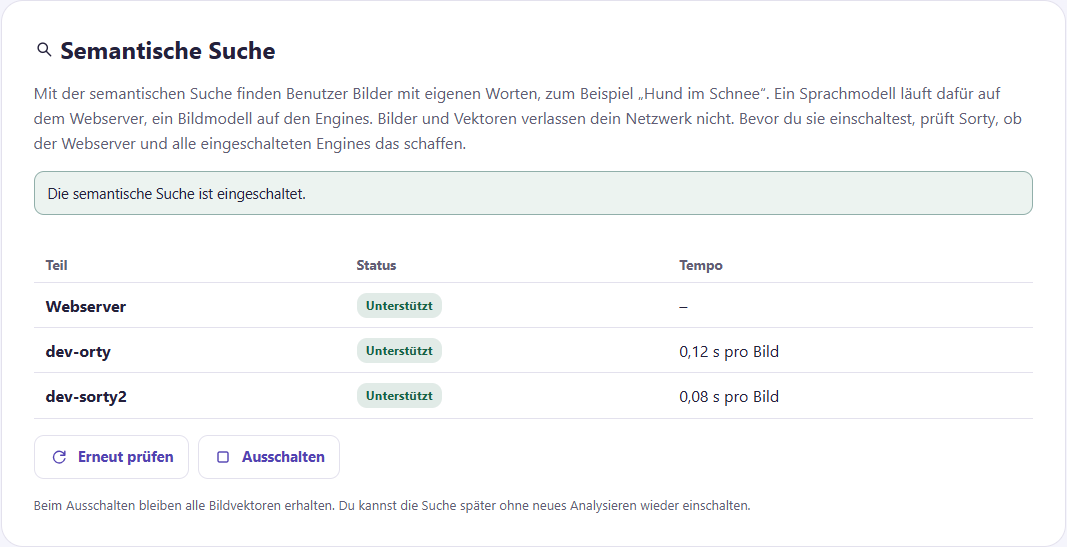
The semantic search needs some computing power: a language model on the web server and an image model on each engine, so Sorty checks beforehand whether everything works.
- Open the page System. In the area: Semantic search stands for the web server and each engine, whether they have passed the exam.
- Click on Check again. It takes about a minute to check, and then reload the page.
- Stand all switched-on parts Supported, Click Switching on.
From now on, the engines calculate one for each new image when sorting Image vector. For older pictures, an admin of the client starts Analysis with the circumference Image vectors for semantic search.
If an engine does not manage the test, the part is the reason, for example Too slow or Too little free working memory. As long as the search is turned on, the page is marked. Engines such an engine red with Semantic Search Not Supported. This engine sorts, analyzes, and then stops adjusting performance, and other tasks like maintenance, deleting images, grouping faces, and person learning carry on, and new engines check Sorty on first launch, and when an engine gets new hardware, it checks itself again.
With Deactivation If you turn on again, you don't have to re-analyze anything.
Setting up AI servers
For the AI search you need at least one AI server This is a computer with a graphics card that runs, for example, Ollama, vLLM, or a llama.cpp server with a model that understands images, and Sorty sends it the images in 1024 pixels.
- Open in the menu AI server and click on Adding AI servers.
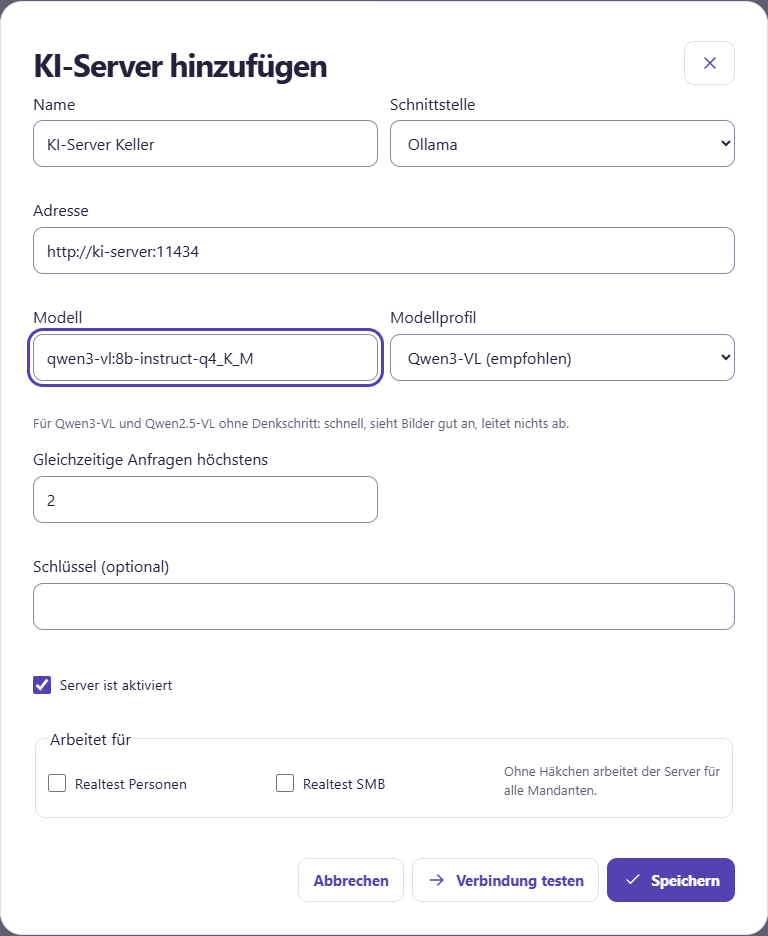
- Give one Names, which: Interface, which: Address (for example)
http://ki-server:11434by Ollama and that Model one. One Key keys You only need one if the server asks for one. - Determine how many requests from the servers simultaneously Start with 1 or 2.
- Underneath Works for Without a tick, the server works for all tenants.
- Check this Model profile. Sorty selects it when typing in the model name and marks it with (recommended). If you choose a different one yourself, your choice remains. The profile determines how Sorty talks to the model: what instructions it gets, whether it thinks beforehand and whether it can derive answers. General.
- Click on Testing connections and then on Storage.
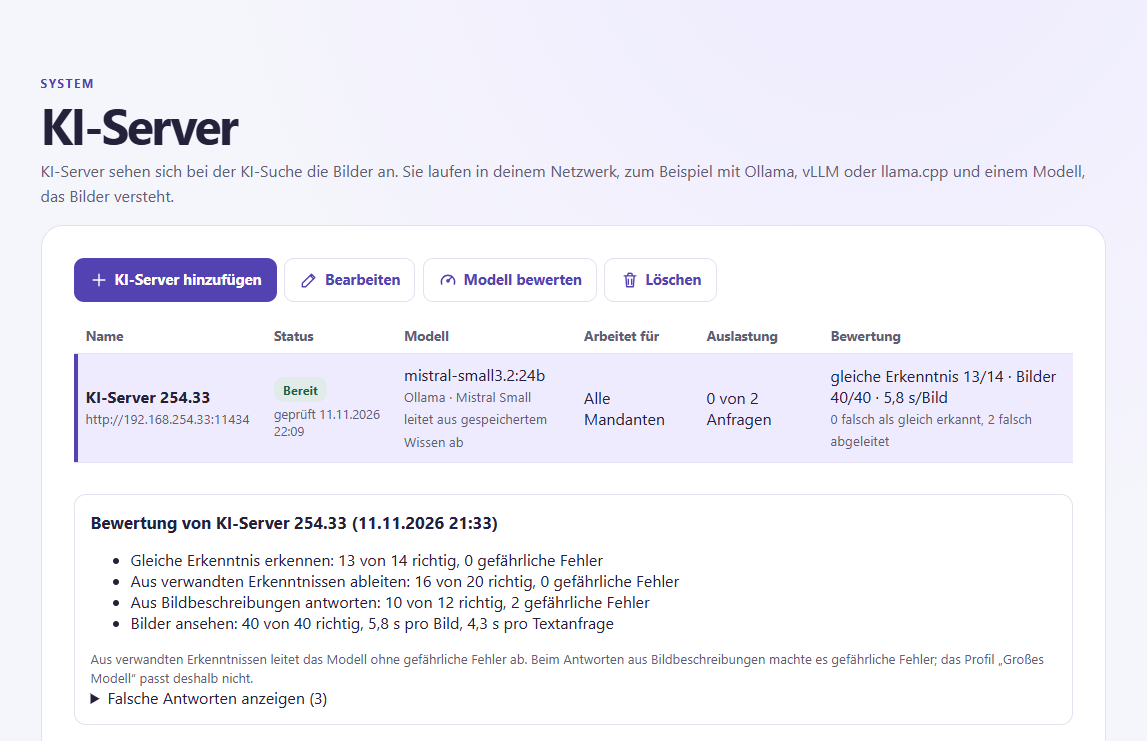
- Click on the list Evaluating the model. Sorty then uses fixed examples, whose correct answer is known, to test how well the model and the profile fit together, which takes a few minutes. Assessment And underneath, you'll see how many times the model got it right, how long it took per image, and whether it made dangerous mistakes, like two different questions thought the same. Showing incorrect answers You can see every error, and that's whether the model is safe to derive from related insights, from image descriptions, or not.
A free AI server also takes over the Initial AI test If someone searches, the search takes precedence.
For the Transcription of videos Wear your own AI server with the interface Whisper This can be any server that offers the OpenAI interface for voice recognition, for example faster-whisper-server or LocalAI. Model Insert the Whisper model, for example Systran/faster-whisper-small. A Whisper server does not help with AI search and is therefore not rated.
In the list you can see the state of each server: Ready, Workloaded, Unavailable (red, with ground) or Deactivated. Sorty checks this every 30 seconds. Server is activated In the Edit dialog, you take a server temporarily out of search, and in the media search, AI search is only available if the client has an activated server, and multiple servers share the work.
On the side System You put it under AI search It tells you how many images a search checks, but more images find more, but take longer.
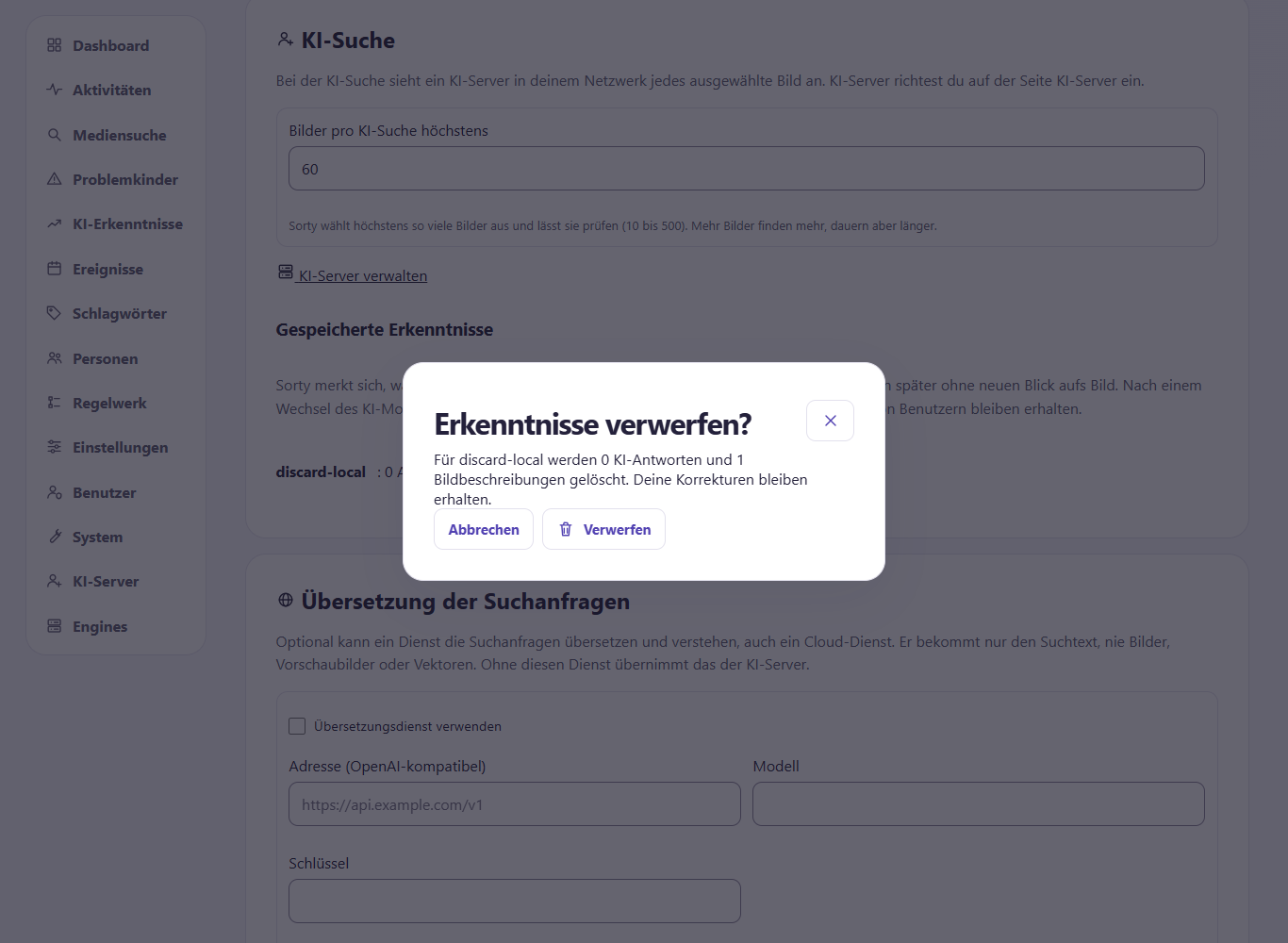
Underneath Stored knowledge You can see how many answers and image descriptions each AI model has contributed. Discard Voting. Sorty first shows you how many replies and image descriptions are deleted. Only when you confirm in the dialog, Sorty deletes the entries. If the numbers have changed in the meantime, Sorty shows the current values and you can confirm again. Corrections of users are maintained.
Sorty Answers, Too Derivatives may, depends on the model profile of the AI server (see below). Simple models only use insights that ask exactly the same thing. Qwen3-VL Thinking and Mistral Small 3.2 additionally conclude from related findings, for example “a dog is seen” → “an animal is seen”. Only the profile “Large model” also responds from stored image descriptions. All other images are viewed by the AI itself.
Translation of search queries
Optionally you can be on the page System one of the following Translation service Enter. It has to speak the OpenAI interface, and it can also be a cloud service. It translates search texts and helps understand AI search questions. It only gets the search text, never images, thumbnails or image vectors. Send names of persons Without this service, everything works, the semantic search understands German and many other languages.
Changing appearance and language
On the top right, you'll find the icon with the color palette. Theme A theme determines colors and shapes. DE or EN When you first open it, Sorty depends on the language of your browser or device, and then the messages in the system log and the connection test change the language, and this also applies to older messages.
Troubleshooting
- The app indicates that Sorty has to be set up first. Open Sorty on the installation machine in the browser, create the first account there and then check the instance again in the app.
- The app cannot reach the address. Compare the address with the address you got.
https://It is at the beginning and whether your device can reach the Sorty computer over the network. - Sorty suddenly shows the registration again. Maybe you've logged out on another device, or your password has been changed, just log in again.
- Registration fails. Check the username and password. Displays If you can see what you typed into the password field, if it says that the login is blocked, wait 15 minutes. Users a new one.
- A task is waiting and does not start. See in the Settlements whether an engine works for the client. Engines If you have selected a specific engine in the request, the task is waiting for it.
- The figures are zero. Check that the correct collection is selected, and new entries appear as soon as Sorty has processed images.
- An invitation or release link is not possible. The link is valid only until the expiration date, an invitation only once, maybe an admin has also finished it, ask for a new link.
- The test message does not arrive. Below the button is what went wrong. Check server, port and encryption. For many providers, port 587 fits with STARTTLS or port 465 fits with TLS. Check also in the spam folder.
- An expected image is missing in the output folder. Check if it is in the correct image source and if the job has already run, the rules determine which folder the image will end up in, and if there is an error, the person responsible can check the system log.